
Oracle Linux 8 上に Oracle EM13.5 構築を行う際、GUIインストーラで画面が動かなくなったり、予期せぬ不具合で失敗したりした経験はありませんか?本記事では、GUIの不安定さを回避し、Oracle Database 19c をリポジトリとした「最も成功率の高い」サイレントインストール手順を解説します。
結論から言うと、EM13.5 の構築は「リポジトリDBのパラメータ調整」と「レスポンスファイルによるサイレント・インストール」が成功の鍵です。筆者の検証でも、GUIでは環境依存のエラーが発生しましたが、サイレント方式では一発で成功しました。この記事を読めば、コマンドラインから確実に EM13.5 をセットアップし、管理コンソール(HTTPSポート 7803)へアクセスするまでの流れをマスターできます。

💰 【PR】Oracleエンジニアの市場価値、調べてみませんか?
Oracleのスキルは需要が高く、特定の資格や経験を持っていると年収が大幅にアップするケースがあります。まずはIT専門のエージェントで非公開求人をチェックしてみませんか?
結論・EM13.5 構築の最短手順
- リポジトリDBの準備: Oracle 19c (非CDB) に必要な初期化パラメータを設定・反映。
- インストール・ディレクトリ作成: ミドルウェアおよびエージェント用のパスを確保。
- インストーラの解凍: 5つの ZIP ファイルを解凍し、
.binファイルを準備。 - レスポンスファイルの作成: インストール先やパスワード、DB接続情報を定義。
- サイレント・インストールの実行:
./em13500_linux64.bin -silentを実行。 - root スクリプトの実行:
allroot.shを root ユーザーで実行して完了。
背景と基礎
Oracle Enterprise Manager (EM) 13c Release 5 は、Oracle Database を含むシステム全体の監視・管理を行う統合プラットフォームです。 13.5 では、Oracle Linux 8 への対応や、ハイブリッド・クラウド管理機能が強化されています。
なぜサイレントインストールなのか? GUIインストーラは、X Window Systemの設定、Javaのバージョン、OSのライブラリ依存関係により、インストール途中でフリーズしたり、前提条件チェックで原因不明のエラーを出すことがあります。実務環境では、再現性が高くエラーの切り分けが容易な「レスポンスファイル形式(サイレント)」が強く推奨されます。
前提条件と環境準備
構築にあたり、以下のリソースと権限を準備してください。
- OS・DBのセットアップ: Oracle Linux 8 のインストールおよびリポジトリDB(Oracle Database 19c)の構築は、通常のデータベース構築手順に従って事前に完了させておいてください。
- 対象OS: Oracle Linux 8 (x86_64)
- リポジトリDB: Oracle Database 19c (19.3.0.0.0 以上)
- ユーザー:
oracleユーザー(oinstallグループ) - ディレクトリパス例:
- ミドルウェア:
/u01/app/middleware - エージェント:
/u01/app/agent
- ミドルウェア:
1. ディレクトリの作成
まず、EMのコンポーネントをインストールする場所を作成します。
mkdir -p /u01/app/middleware
mkdir -p /u01/app/agent
手順・実装:リポジトリDBとインストーラの準備
2. リポジトリDBのパラメータ設定
EM13.5 のリポジトリとして動作させるには、DB側に特定のパラメータ設定が必要です。特に _allow_insert_with_update_check は EM13c 独自の要件です。
-- sysdbaで接続して実行
sqlplus / as sysdba

-- 必須パラメータの設定(一部はSPFILEへの書き込みが必要)
ALTER SYSTEM SET "_allow_insert_with_update_check"=TRUE SCOPE=SPFILE;
ALTER SYSTEM SET parallel_max_servers=8 SCOPE=BOTH;
ALTER SYSTEM SET parallel_min_servers=0 SCOPE=BOTH;
ALTER SYSTEM SET processes=600 SCOPE=SPFILE;
ALTER SYSTEM SET session_cached_cursors=200 SCOPE=SPFILE;

-- 反映のため再起動
SHUTDOWN IMMEDIATE
STARTUP
exit
補足: _allow_insert_with_update_check を設定しないと、インストール時の前提条件チェックでエラーとなります。
3. インストーラの解凍
Oracle Software Delivery Cloud からダウンロードした 5つの ZIP ファイル(V1007079-01.zip 〜 V1007083-01.zip)を同一ディレクトリに配置し、解凍します。
mkdir em_dir
cd em_dir/
# ファイルの存在確認 (V1007079-01.zip 〜 V1007083-01.zip)
unzip -q V1007079-01.zip
unzip -q V1007080-01.zip
unzip -q V1007081-01.zip
unzip -q V1007082-01.zip
unzip -q V1007083-01.zip

# 解凍後、バイナリ (.bin) と追加の ZIP が生成される
ll
# 不要になった元の ZIP を削除して容量を確保
rm -rf V10070*
4. レスポンスファイル(em_install.rsp)の作成
不具合の多いGUI設定をスキップするため、あらかじめ設定値をファイルに定義します。パスワードに @ 記号は使用しないでください。 ※注意:以下の設定値はサンプルです。ホスト名やパス、パスワード等は必ずご自身の環境に応じて変更してください。
vi /tmp/em_install.rsp
内容例:
RESPONSEFILE_VERSION=2.2.1.0.0
INVENTORY_LOCATION=/u01/app/oraInventory
INSTALL_UPDATES_SELECTION=skip
ORACLE_MIDDLEWARE_HOME_LOCATION=/u01/app/middleware
ORACLE_HOSTNAME=em13cr5
AGENT_BASE_DIR=/u01/app/agent
WLS_ADMIN_SERVER_USERNAME=weblogic
WLS_ADMIN_SERVER_PASSWORD=welcome1
WLS_ADMIN_SERVER_CONFIRM_PASSWORD=welcome1
NODE_MANAGER_PASSWORD=welcome1
NODE_MANAGER_CONFIRM_PASSWORD=welcome1
ORACLE_INSTANCE_HOME_LOCATION=/u01/app/gc_inst
CONFIGURE_ORACLE_SOFTWARE_LIBRARY=true
SOFTWARE_LIBRARY_LOCATION=/u01/app/oracle/swlib
DATABASE_HOSTNAME=em13cr5
LISTENER_PORT=1521
SERVICENAME_OR_SID=repdb
SYS_PASSWORD=oracle
SYSMAN_PASSWORD=welcome1
SYSMAN_CONFIRM_PASSWORD=welcome1
DEPLOYMENT_SIZE=MEDIUM
MANAGEMENT_TABLESPACE_LOCATION=/u01/app/oracle/oradata/REPDB/mgmt.dbf
CONFIGURATION_DATA_TABLESPACE_LOCATION=/u01/app/oracle/oradata/REPDB/mgmt_ecm_depot1.dbf
JVM_DIAGNOSTICS_TABLESPACE_LOCATION=/u01/app/oracle/oradata/REPDB/mgmt_deepdive.dbf
EMPREREQ_AUTO_CORRECTION=false
AGENT_REGISTRATION_PASSWORD=welcome1
AGENT_REGISTRATION_CONFIRM_PASSWORD=welcome1
PLUGIN_SELECTION={}
b_upgrade=false
EM_INSTALL_TYPE=NOSEED
CONFIGURATION_TYPE=ADVANCED
💰 【PR】Oracleエンジニアの市場価値、調べてみませんか?
Oracleのスキルは需要が高く、特定の資格や経験を持っていると年収が大幅にアップするケースがあります。まずはIT専門のエージェントで非公開求人をチェックしてみませんか?
実行例:EM13.5 インストールの開始
5. サイレント・インストールの実行
準備したレスポンスファイルを指定してインストーラを起動します。この方法なら、GUI環境がないサーバーでも安定して構築が可能です。
./em13500_linux64.bin -silent -responseFile /tmp/em_install.rsp
実行完了後、「Successfully installed Enterprise Manager Cloud Control.」と表示されるまで待ちます。
🖥️ 実機を使用した実行結果
実行結果を表示(ここをクリック)
[oracle@em13cr5 em_dir]$ ./em13500_linux64.bin -silent -responseFile /tmp/em_install.rsp
Launcher log file is /tmp/OraInstall2026-02-16_11-41-21AM/launcher2026-02-16_11-41-21AM.log.
Extracting the installer . . . . . . . . . . . . . . . . . . . . . . . . . . . . . . . . . . . . . . . . . . . . . . . . . . . . . . . . . . . . . . . . . . . . . . . . . . . . . . . . . . . . . . . . . . . . . . . . . . . . . . . . . . . . . . . . . . . . . . . . . . . . . . . . . . . . . . . . . . . . . . . . . . . . . . . . . . . . . . . . . . . . . . . . . . . . . . . . . . . . . . . . . . . . . . . . . . . . . . . . . . . . . . . . . . . . . . . . . . . . . . . . . . . . . . . . . . . . . . . . . . . . . . . . . . . . . . . . . . . . . . . . . . . . . . . . . . . . . . . . . . . . . . . . . . . . . . . . . . . . . . . . . . . . . . . . . . . . . . . . . . . . . . . . . . . . . . . . . . . . . . . . . . . . . . . . . . . . . . . . . . . . . . . . . . . . . . . . . . . . . . . . . . . . . . . . . . . . . . . . . . . . . . . . . . . . . . . . . . . . . . . . . . . . . . . . . . . . . . . . . . . . . . . . . . . . . . . . . . . . . . . . . . . . . . . . . . . . . . . . . . . . . . . . . . . . . . . . . . . . . . . . . . . . . . . . . . . . . . . . . . . . . . . . . . . . . . . . . . . . Done
Checking swap space: must be greater than 512 MB.   Actual 4051 MB    Passed
Checking if this platform requires a 64-bit JVM.   Actual 64    Passed (64-bit not required)
Preparing to launch the Oracle Universal Installer from /tmp/OraInstall2026-02-16_11-41-21AM
ScratchPathValue :/tmp/OraInstall2026-02-16_11-41-21AM
Feb 16, 2026 11:52:09 AM org.apache.sshd.common.io.DefaultIoServiceFactoryFactory getIoServiceProvider
INFO: No detected/configured IoServiceFactoryFactory using Nio2ServiceFactoryFactory
Session log file is /tmp/OraInstall2026-02-16_11-41-21AM/install2026-02-16_11-41-21AM.log
Installation in progress

Install successful
Linking in progress

Link successful
Setup in progress

Setup successful
Session log file is /tmp/OraInstall2026-02-16_11-41-21AM/install2026-02-16_11-41-21AM.log
Installation in progress

Install successful
Linking in progress

Link successful
Setup in progress

Setup successful
Session log file is /tmp/OraInstall2026-02-16_11-41-21AM/install2026-02-16_11-41-21AM.log

..................................................................................................
Installation in progress (Monday, February 16, 2026 12:10:21 PM EST)
                              98% Done.
Install successful

Linking in progress (Monday, February 16, 2026 12:10:23 PM EST)
Link successful

Setup in progress (Monday, February 16, 2026 12:10:24 PM EST)
Setup successful

Saving inventory (Monday, February 16, 2026 12:10:24 PM EST)
Saving inventory complete

End of install phases.(Monday, February 16, 2026 12:10:38 PM EST)
Session log file is /tmp/OraInstall2026-02-16_11-41-21AM/install2026-02-16_11-41-21AM.log

...............................................................  42% Done.
...............................................................  85% Done.
...................
Installation in progress (Monday, February 16, 2026 12:11:44 PM EST)
                                              98% Done.
Install successful

Linking in progress (Monday, February 16, 2026 12:11:46 PM EST)
Link successful

Setup in progress (Monday, February 16, 2026 12:11:46 PM EST)
Setup successful

Saving inventory (Monday, February 16, 2026 12:11:46 PM EST)
Saving inventory complete

End of install phases.(Monday, February 16, 2026 12:12:24 PM EST)
Session log file is /tmp/OraInstall2026-02-16_11-41-21AM/install2026-02-16_11-41-21AM.log

..................................................................................................
Installation in progress (Monday, February 16, 2026 12:12:55 PM EST)
                              98% Done.
Install successful

Linking in progress (Monday, February 16, 2026 12:12:57 PM EST)
Link successful

Setup in progress (Monday, February 16, 2026 12:12:57 PM EST)
Setup successful

Saving inventory (Monday, February 16, 2026 12:12:57 PM EST)
Saving inventory complete

End of install phases.(Monday, February 16, 2026 12:13:08 PM EST)
Session log file is /tmp/OraInstall2026-02-16_11-41-21AM/install2026-02-16_11-41-21AM.log

...............................................................  21% Done.
...............................................................  42% Done.
...............................................................  63% Done.
...............................................................  84% Done.
..........................................
Installation in progress (Monday, February 16, 2026 12:16:07 PM EST)
                       98% Done.
Install successful

Linking in progress (Monday, February 16, 2026 12:16:09 PM EST)
Link successful

Setup in progress (Monday, February 16, 2026 12:16:10 PM EST)
Setup successful

Saving inventory (Monday, February 16, 2026 12:16:10 PM EST)
Saving inventory complete

End of install phases.(Monday, February 16, 2026 12:16:24 PM EST)
Session log file is /tmp/OraInstall2026-02-16_11-41-21AM/install2026-02-16_11-41-21AM.log

...............................................................  48% Done.
...............................................................  96% Done.
..
Installation in progress (Monday, February 16, 2026 12:19:20 PM EST)
                                                               98% Done.
Install successful

Linking in progress (Monday, February 16, 2026 12:19:21 PM EST)
Link successful

Setup in progress (Monday, February 16, 2026 12:19:21 PM EST)
Setup successful

Saving inventory (Monday, February 16, 2026 12:19:21 PM EST)
Saving inventory complete

End of install phases.(Monday, February 16, 2026 12:19:34 PM EST)
Installing agent plugins if not upgrade
&Decline License Agreement/u01/app/middleware/sysman/install/plugins/oracle.sysman.emas/13.5.1.0.0/oracle.sysman.emas.agent.plugin-13.5.1.0.0.farb
Session log file is /tmp/OraInstall2026-02-16_11-41-21AM/install2026-02-16_11-41-21AM.log

..................................................................................................
Installation in progress (Monday, February 16, 2026 12:19:50 PM EST)
                              98% Done.
Install successful

Linking in progress (Monday, February 16, 2026 12:19:50 PM EST)
Link successful

Setup in progress (Monday, February 16, 2026 12:19:50 PM EST)
Setup successful

Saving inventory (Monday, February 16, 2026 12:19:50 PM EST)
Saving inventory complete

End of install phases.(Monday, February 16, 2026 12:20:02 PM EST)
&Decline License Agreement/u01/app/middleware/sysman/install/plugins/oracle.sysman.emrep/13.5.0.0.0/oracle.sysman.emrep.agent.plugin-13.5.0.0.0.farb
Session log file is /tmp/OraInstall2026-02-16_11-41-21AM/install2026-02-16_11-41-21AM.log

.....................................................................................
Installation in progress (Monday, February 16, 2026 12:20:09 PM EST)
                                           85% Done.
Install successful

Linking in progress (Monday, February 16, 2026 12:20:10 PM EST)
Link successful

Setup in progress (Monday, February 16, 2026 12:20:10 PM EST)
Setup successful

Saving inventory (Monday, February 16, 2026 12:20:10 PM EST)
Saving inventory complete

End of install phases.(Monday, February 16, 2026 12:20:23 PM EST)
&Decline License Agreement/u01/app/middleware/sysman/install/plugins/oracle.sysman.beacon/13.5.0.0.0/oracle.sysman.beacon.agent.plugin-13.5.0.0.0.farb
Session log file is /tmp/OraInstall2026-02-16_11-41-21AM/install2026-02-16_11-41-21AM.log

............................................................................................
Installation in progress (Monday, February 16, 2026 12:20:29 PM EST)
                                    92% Done.
Install successful

Linking in progress (Monday, February 16, 2026 12:20:29 PM EST)
Link successful

Setup in progress (Monday, February 16, 2026 12:20:29 PM EST)
Setup successful

Saving inventory (Monday, February 16, 2026 12:20:29 PM EST)
Saving inventory complete

End of install phases.(Monday, February 16, 2026 12:20:43 PM EST)
&Decline License Agreement/u01/app/middleware/sysman/install/plugins/oracle.sysman.oh/13.5.0.0.0/oracle.sysman.oh.agent.plugin-13.5.0.0.0.farb
Session log file is /tmp/OraInstall2026-02-16_11-41-21AM/install2026-02-16_11-41-21AM.log

.................................................................................................
Installation in progress (Monday, February 16, 2026 12:20:48 PM EST)
                               97% Done.
Install successful

Linking in progress (Monday, February 16, 2026 12:20:49 PM EST)
Link successful

Setup in progress (Monday, February 16, 2026 12:20:49 PM EST)
Setup successful

Saving inventory (Monday, February 16, 2026 12:20:49 PM EST)
Saving inventory complete

End of install phases.(Monday, February 16, 2026 12:21:02 PM EST)
&Decline License Agreement/u01/app/middleware/sysman/install/plugins/oracle.sysman.csa/13.5.0.0.0/oracle.sysman.csa.agent.plugin-13.5.0.0.0.farb
Session log file is /tmp/OraInstall2026-02-16_11-41-21AM/install2026-02-16_11-41-21AM.log

........................................................................
Installation in progress (Monday, February 16, 2026 12:21:08 PM EST)
                                                        72% Done.
Install successful

Linking in progress (Monday, February 16, 2026 12:21:09 PM EST)
Link successful

Setup in progress (Monday, February 16, 2026 12:21:09 PM EST)
Setup successful

Saving inventory (Monday, February 16, 2026 12:21:09 PM EST)
Saving inventory complete

End of install phases.(Monday, February 16, 2026 12:21:22 PM EST)
Checking the current seesion Index -10
&Decline License Agreement/u01/app/middleware/sysman/install/plugins/oracle.sysman.csa/13.5.0.0.0/oracle.sysman.csa.discovery.plugin-13.5.0.0.0.farb
Session log file is /tmp/OraInstall2026-02-16_11-41-21AM/install2026-02-16_11-41-21AM.log

.................................................................................................
Installation in progress (Monday, February 16, 2026 12:21:28 PM EST)
                               96% Done.
Install successful

Linking in progress (Monday, February 16, 2026 12:21:28 PM EST)
Link successful

Setup in progress (Monday, February 16, 2026 12:21:28 PM EST)
Setup successful

Saving inventory (Monday, February 16, 2026 12:21:28 PM EST)
Saving inventory complete

End of install phases.(Monday, February 16, 2026 12:21:41 PM EST)
&Decline License Agreement/u01/app/middleware/sysman/install/plugins/oracle.sysman.oh/13.5.0.0.0/oracle.sysman.oh.discovery.plugin-13.5.0.0.0.farb
Session log file is /tmp/OraInstall2026-02-16_11-41-21AM/install2026-02-16_11-41-21AM.log

........................................................................
Installation in progress (Monday, February 16, 2026 12:21:48 PM EST)
                                                        72% Done.
Install successful

Linking in progress (Monday, February 16, 2026 12:21:48 PM EST)
Link successful

Setup in progress (Monday, February 16, 2026 12:21:48 PM EST)
Setup successful

Saving inventory (Monday, February 16, 2026 12:21:48 PM EST)
Saving inventory complete

End of install phases.(Monday, February 16, 2026 12:22:02 PM EST)
&Decline License Agreement/u01/app/middleware/sysman/install/plugins/oracle.sysman.db/13.5.1.0.0/oracle.sysman.db.discovery.plugin-13.5.1.0.0.farb
Session log file is /tmp/OraInstall2026-02-16_11-41-21AM/install2026-02-16_11-41-21AM.log

...........................................................................................
Installation in progress (Monday, February 16, 2026 12:22:08 PM EST)
                                     91% Done.
Install successful

Linking in progress (Monday, February 16, 2026 12:22:08 PM EST)
Link successful

Setup in progress (Monday, February 16, 2026 12:22:08 PM EST)
Setup successful

Saving inventory (Monday, February 16, 2026 12:22:08 PM EST)
Saving inventory complete

End of install phases.(Monday, February 16, 2026 12:22:23 PM EST)
&Decline License Agreement/u01/app/middleware/sysman/install/plugins/oracle.sysman.xa/13.5.1.0.0/oracle.sysman.xa.discovery.plugin-13.5.1.0.0.farb
Session log file is /tmp/OraInstall2026-02-16_11-41-21AM/install2026-02-16_11-41-21AM.log

..............................................................................
Installation in progress (Monday, February 16, 2026 12:22:29 PM EST)
                                                  78% Done.
Install successful

Linking in progress (Monday, February 16, 2026 12:22:29 PM EST)
Link successful

Setup in progress (Monday, February 16, 2026 12:22:29 PM EST)
Setup successful

Saving inventory (Monday, February 16, 2026 12:22:29 PM EST)
Saving inventory complete

End of install phases.(Monday, February 16, 2026 12:22:42 PM EST)
&Decline License Agreement/u01/app/middleware/sysman/install/plugins/oracle.sysman.emas/13.5.1.0.0/oracle.sysman.emas.discovery.plugin-13.5.1.0.0.farb
Session log file is /tmp/OraInstall2026-02-16_11-41-21AM/install2026-02-16_11-41-21AM.log

..................................................................................................
Installation in progress (Monday, February 16, 2026 12:22:50 PM EST)
                              98% Done.
Install successful

Linking in progress (Monday, February 16, 2026 12:22:50 PM EST)
Link successful

Setup in progress (Monday, February 16, 2026 12:22:50 PM EST)
Setup successful

Saving inventory (Monday, February 16, 2026 12:22:50 PM EST)
Saving inventory complete

End of install phases.(Monday, February 16, 2026 12:23:04 PM EST)
&Decline License Agreement/u01/app/middleware/sysman/install/plugins/oracle.sysman.si/13.5.1.0.0/oracle.sysman.si.discovery.plugin-13.5.1.0.0.farb
Session log file is /tmp/OraInstall2026-02-16_11-41-21AM/install2026-02-16_11-41-21AM.log

.............................................................................
Installation in progress (Monday, February 16, 2026 12:23:10 PM EST)
                                                   77% Done.
Install successful

Linking in progress (Monday, February 16, 2026 12:23:10 PM EST)
Link successful

Setup in progress (Monday, February 16, 2026 12:23:10 PM EST)
Setup successful

Saving inventory (Monday, February 16, 2026 12:23:10 PM EST)
Saving inventory complete

End of install phases.(Monday, February 16, 2026 12:23:23 PM EST)
.13NGCHEKAGGREGATE  : oracle.sysman.top.agent
13NGCHEKAGGREGATE  : oracle.sysman.top.oms
13NGCHEKAGGREGATE  : OuiConfigVariables
13NGCHEKAGGREGATE  : encap_oms
13NGCHEKAGGREGATE  : OuiConfigVariables
2026-02-16_12-38-52PM: Configuration Assistant "Plugins Prerequisites Check" is in progress.

2026-02-16_12-39-22PM: Configuration Assistant "Plugins Prerequisites Check" has Succeeded.

2026-02-16_12-39-22PM: Configuration Assistant "Repository Configuration" is in progress.

Calling the EMSCHEMA MANAGER: CREATE

before starting RCU
Repository Creation Utility - Checking Prerequisites
Checking Global Prerequisites
Repository Creation Utility - Checking Prerequisites
Checking Component Prerequisites
Repository Creation Utility - Creating Tablespaces
Validating and Creating Tablespaces
Create tablespaces in the repository database
Repository Creation Utility - Create
Repository Create in progress.
Executing pre create operations
Creating EM Repository Common(EM_REPOS_COMMON)
Creating EM Repository Init Configuration(EM_REPOS_INIT)

 Check the Repository Configuration Assistant logs at: /u01/app/middleware/sysman/log/schemamanager

INVOKING with sslConfig
TNS Test Inserted Successfully
Successfully Added TNS Query Descriptors

  ********   ORACLE_HOME is /u01/app/middleware
test properties path: /u01/app/middleware/sysman/admin/emdrep/prop/imap.properties
CreateTestType:createCompleteTest: BEGIN
CreateTestType:createTestMetadataObject: BEGIN
CreateTestType:createTestMetadataObject: END
CreateTestType:createPropertyGroups: BEGIN
CreateTestType:createPropertyGroups: END
CreateTestType:createStrayProperties: BEGIN
CreateTestType:createStrayProperties: END
CreateTestType:createDefaultPromotions: BEGIN
CreateTestType:createDefaultPromotions: END
CreateTestType:createDefaultThresholds: BEGIN
CreateTestType:createDefaultThresholds: END
CreateTestType:createMetrics4TestType: BEGIN
CreateTestType:createMetrics4TestType: END
PropertyName :imap_host
PropertyName :imap_port
PropertyName :imap_user_name
PropertyName :imap_password
PropertyName :numretries
PropertyName :retryinterval
CreateTestType:createQueryDescriptor: BEGIN
CreateTestType:createQueryDescriptor: END
Enabled test for: IMAP , generic_service , 1.0
Enabled test for: IMAP , aggregate_service , 1.0
CreateTestType:createCompleteTest: END
  ********   ORACLE_HOME is /u01/app/middleware
INVOKING with sslConfig
INVOKING with sslConfig
Creating EM Repository Creation Configuration(EM_REPOS_CONFIG)
Executing post create operations

Repository Creation Utility: Create - Completion Summary

Database details:
-----------------------------
Connect Descriptor                           : (DESCRIPTION=(ADDRESS_LIST=(ADDRESS=(PROTOCOL=TCP)(HOST=em13cr5)(PORT=1521)))(CONNECT_DATA=(SID=repdb)))
Connected As                                 : SYS
RCU Logfile                                  : No log file specified

Component schemas created:
-----------------------------
Component                                    Status         Logfile

EM Repository Creation Configuration         Success        /u01/app/middleware/sysman/log/schemamanager/m_021626_1239_PM/m_021626_1239_PM.CREATE/RCU2026-02-16_12-39_871732497/logs/em_repos_config.log
EM Repository Init Configuration             Success        /u01/app/middleware/sysman/log/schemamanager/m_021626_1239_PM/m_021626_1239_PM.CREATE/RCU2026-02-16_12-39_871732497/logs/em_repos_init.log
EM Repository Common                         Success        /u01/app/middleware/sysman/log/schemamanager/m_021626_1239_PM/m_021626_1239_PM.CREATE/RCU2026-02-16_12-39_871732497/logs/em_repos_common.log

Repository Creation Utility - Create : Operation Completed
after starting RCU
The creation of Repository is completed now running the MOS

-------------------This action is not required ------------------
The correct order of execution is :
-showPrereqs , -runPrerequisites , -showCorrectiveActions , -runCorrectiveActions , -runPrerequisites(optional at this point), -showPostCorrectiveActions , -runPostCorrectiveActions
2026-02-16_02-33-21PM: Configuration Assistant "Repository Configuration" has Succeeded.

2026-02-16_02-33-21PM: Configuration Assistant "MDS Schema Configuration" is in progress.

jdbcURL:[jdbc:oracle:thin:@(DESCRIPTION=(ADDRESS_LIST=(ADDRESS=(PROTOCOL=TCP)(HOST=em13cr5)(PORT=1521)))(CONNECT_DATA=(SID=repdb)))]
ssl info is null
-silent -createRepository -compInfoXMLLocation /u01/app/middleware/sysman/emdrep/config/mds/ComponentInfo.xml -storageXMLLocation /u01/app/middleware/sysman/emdrep/config/mds/Storage.xml -connectString (DESCRIPTION=(ADDRESS_LIST=(ADDRESS=(PROTOCOL=TCP)(HOST=em13cr5)(PORT=1521)))(CONNECT_DATA=(SID=repdb))) -dbUser SYS -dbRole sysdba -schemaPrefix SYSMAN -component MDS
Repository Creation Utility - Checking Prerequisites
Checking Global Prerequisites
Repository Creation Utility - Checking Prerequisites
Checking Component Prerequisites
Repository Creation Utility - Creating Tablespaces
Validating and Creating Tablespaces
Create tablespaces in the repository database
Repository Creation Utility - Create
Repository Create in progress.
        Percent Complete: 30
Executing pre create operations
        Percent Complete: 65
        Percent Complete: 65
        Percent Complete: 70
        Percent Complete: 70
        Percent Complete: 75
        Percent Complete: 75
Creating Metadata Services(MDS)
        Percent Complete: 95
Executing post create operations
        Percent Complete: 100

Repository Creation Utility: Create - Completion Summary

Database details:
-----------------------------
Connect Descriptor                           : (DESCRIPTION=(ADDRESS_LIST=(ADDRESS=(PROTOCOL=TCP)(HOST=em13cr5)(PORT=1521)))(CONNECT_DATA=(SID=repdb)))
Connected As                                 : SYS
Prefix for (prefixable) Schema Owners        : SYSMAN
RCU Logfile                                  : No log file specified

Component schemas created:
-----------------------------
Component                                    Status         Logfile

Metadata Services                            Success        /u01/app/middleware/sysman/log/schemamanager/m_021626_1239_PM/m_021626_1239_PM.CREATE/RCU2026-02-16_14-33_1685768805/logs/mds.log

Repository Creation Utility - Create : Operation Completed
jdbcURL:[jdbc:oracle:thin:@(DESCRIPTION=(ADDRESS_LIST=(ADDRESS=(PROTOCOL=TCP)(HOST=em13cr5)(PORT=1521)))(CONNECT_DATA=(SID=repdb)))]
Repository Creation Utility - Checking Prerequisites
Checking Global Prerequisites
Repository Creation Utility - Checking Prerequisites
Checking Component Prerequisites
Repository Creation Utility - Creating Tablespaces
Validating and Creating Tablespaces
Create tablespaces in the repository database
Repository Creation Utility - Create
Repository Create in progress.
Executing pre create operations
        Percent Complete: 50
        Percent Complete: 55
        Percent Complete: 65
        Percent Complete: 65
        Percent Complete: 80
        Percent Complete: 90
        Percent Complete: 95
        Percent Complete: 95
Creating Oracle Platform Security Services(OPSS)
        Percent Complete: 97
Executing post create operations
        Percent Complete: 100

Repository Creation Utility: Create - Completion Summary

Database details:
-----------------------------
Connect Descriptor                           : (DESCRIPTION=(ADDRESS_LIST=(ADDRESS=(PROTOCOL=TCP)(HOST=em13cr5)(PORT=1521)))(CONNECT_DATA=(SID=repdb)))
Connected As                                 : SYS
Prefix for (prefixable) Schema Owners        : SYSMAN122140
RCU Logfile                                  : No log file specified

Component schemas created:
-----------------------------
Component                                    Status         Logfile

Oracle Platform Security Services            Success        /u01/app/middleware/sysman/log/schemamanager/m_021626_1239_PM/m_021626_1239_PM.CREATE/RCU2026-02-16_14-33_1685768805/logs/opss.log

Repository Creation Utility - Create : Operation Completed
Repository Creation Utility - Checking Prerequisites
Checking Global Prerequisites
Repository Creation Utility - Checking Prerequisites
Checking Component Prerequisites
Repository Creation Utility - Creating Tablespaces
Validating and Creating Tablespaces
Create tablespaces in the repository database
Repository Creation Utility - Create
Repository Create in progress.
Executing pre create operations
        Percent Complete: 50
        Percent Complete: 50
        Percent Complete: 55
        Percent Complete: 60
        Percent Complete: 65
        Percent Complete: 65
        Percent Complete: 70
        Percent Complete: 70
Creating Common Infrastructure Services(STB)
        Percent Complete: 85
Executing post create operations
        Percent Complete: 100

Repository Creation Utility: Create - Completion Summary

Database details:
-----------------------------
Connect Descriptor                           : (DESCRIPTION=(ADDRESS_LIST=(ADDRESS=(PROTOCOL=TCP)(HOST=em13cr5)(PORT=1521)))(CONNECT_DATA=(SID=repdb)))
Connected As                                 : SYS
Prefix for (prefixable) Schema Owners        : SYSMAN
RCU Logfile                                  : No log file specified

Component schemas created:
-----------------------------
Component                                    Status         Logfile

Common Infrastructure Services               Success        /u01/app/middleware/sysman/log/schemamanager/m_021626_1239_PM/m_021626_1239_PM.CREATE/RCU2026-02-16_14-33_1685768805/logs/stb.log

Repository Creation Utility - Create : Operation Completed
2026-02-16_02-33-45PM: Configuration Assistant "MDS Schema Configuration" has Succeeded.

2026-02-16_02-33-45PM: Configuration Assistant "OMS Configuration" is in progress.


 Executing the OMSCA command...

 Check the log files of the OMS Configuration Assistant at: /u01/app/middleware/cfgtoollogs/omsca


 OMS Configuration Assistant completed successfully.


2026-02-16_03-06-08PM: Configuration Assistant "OMS Configuration" has Succeeded.

2026-02-16_03-06-08PM: Configuration Assistant "Plugins Deployment and Configuration" is in progress.

2026-02-16_03-27-22PM: Configuration Assistant "Plugins Deployment and Configuration" has Succeeded.

2026-02-16_03-27-24PM: Configuration Assistant "Start Oracle Management Service" is in progress.

Starting OMS ...

Executing the command: /u01/app/middleware/bin/emctl start oms

Starting of OMS is successful.
Starting export oms config...
Executing command: /u01/app/middleware/bin/emctl exportconfig oms -dir  /u01/app/gc_inst/em/EMGC_OMS1/sysman/backup

Export config of OMS is successful.

2026-02-16_03-47-55PM: Configuration Assistant "Start Oracle Management Service" has Succeeded.

2026-02-16_03-47-56PM: Configuration Assistant "Agent Configuration Assistant" is in progress.

AgentConfiguration:agent configuration has been started

The AgentFreshInstaller is starting now
Oraclehome : ../u01/app/agent/agent_13.5.0.0.0
InstanceHome : /u01/app/agent/agent_inst
Agent Base Directory : /u01/app/agent
The oraclehome /u01/app/agent/agent_13.5.0.0.0
startAgent is:true
seci is :true
startAgent is:true
seci is :true
Feb 16, 2026 3:48:02 PM oracle.sysman.agent.installer.AgentInstaller parseResponseFile
INFO: /u01/app/agent/agent_13.5.0.0.0
Feb 16, 2026 3:48:02 PM oracle.sysman.agent.installer.AgentInstaller parseResponseFile
INFO: /u01/app/agent/agent_inst
Feb 16, 2026 3:48:02 PM oracle.sysman.agent.installer.AgentInstaller parseResponseFile
INFO: /u01/app/agent
Feb 16, 2026 3:48:02 PM oracle.sysman.agent.installer.AgentInstaller parseResponseFile
INFO: RESPONSE_FILE=/u01/app/agent/agentInstall.rsp
Feb 16, 2026 3:48:02 PM oracle.sysman.agent.installer.AgentInstaller parseResponseFile
INFO: ORACLE_HOME=/u01/app/agent/agent_13.5.0.0.0
Feb 16, 2026 3:48:02 PM oracle.sysman.agent.installer.AgentInstaller parseResponseFile
INFO: AGENT_PORT=
Feb 16, 2026 3:48:02 PM oracle.sysman.agent.installer.AgentInstaller parseResponseFile
INFO: ORACLE_HOSTNAME=em13cr5
Feb 16, 2026 3:48:02 PM oracle.sysman.agent.installer.AgentInstaller parseResponseFile
INFO: b_doDiscovery=true
Feb 16, 2026 3:48:02 PM oracle.sysman.agent.installer.AgentInstaller parseResponseFile
INFO: AGENT_BASE_DIR=/u01/app/agent
Feb 16, 2026 3:48:02 PM oracle.sysman.agent.installer.AgentInstaller parseResponseFile
INFO: AGENT_INSTANCE_HOME=/u01/app/agent/agent_inst
Feb 16, 2026 3:48:02 PM oracle.sysman.agent.installer.AgentInstaller parseResponseFile
INFO: s_hostname=em13cr5
Feb 16, 2026 3:48:02 PM oracle.sysman.agent.installer.AgentInstaller parseRelog loction is setlog
sponseFile
INFO: OMS_HOST=em13cr5
Feb 16, 2026 3:48:02 PM oracle.sysman.agent.installer.AgentInstaller parseResponseFile
INFO: START_AGENT=true
Feb 16, 2026 3:48:02 PM orCreating log directoyr :/u01/app/agent/agent_13.5.0.0.0/cfgtoollogs/agentDeploy
acle.sysman.agent.installer.AgentInstaller parseResponseFile
INFO: b_secureAgent=true
Feb 16, 2026 3:48:02 PM oracle.sysman.agent.installer.AgentInstaller parseResponseFile
INFO: b_chainedInstall=true
Feb 16, 2026 3:48:02 PM oracle.sysman.agent.installer.AgentInstaller parseResponseFile
INFO: b_forceConfigure=false
Feb 16, 2026 3:48:02 PM oracle.sysman.agent.installer.AgentInstaller parseResponseFile
INFO: EM_UPLOAD_PORT=4903
Feb 16, 2026 3:48:02 PM oracle.sysman.agent.installer.AgentInstaller parseResponseFile
INFO: b_forceAgentDefaultPort=false
Feb 16, 2026 3:48:02 PM oracle.sysman.agent.installer.AgentInstaller parseResponseFile
INFO: s_staticPorts=
Feb 16, 2026 3:48:02 PM oracle.sysman.agent.installer.AgentInstaller parseResponseFile
INFO: PROPERTIES_FILE=
Feb 16, 2026 3:48:02 PM oracle.sysman.agent.installer.AgentInstaller parseResponseFile
INFO: b_skipValidation=false
Feb 16, 2026 3:48:02 PM oracle.sysman.agent.installer.AgentInstaller parseResponseFile
INFO: ORACLE_HOME=/u01/app/agent/agent_13.5.0.0.0
Feb 16, 2026 3:48:02 PM oracle.sysman.agent.installer.AgentInstaller parseResponseFile
INFO: AGENT_PORT=
Feb 16, 2026 3:48:02 PM oracle.sysman.agent.installer.AgentInstaller parseResponseFile
INFO: ORACLE_HOSTNAME=em13cr5
Feb 16, 2026 3:48:02 PM oracle.sysman.agent.installer.AgentInstaller parseResponseFile
INFO: b_doDiscovery=true
Feb 16, 2026 3:48:02 PM oracle.sysman.agent.installer.AgentInstaller parseResponseFile
INFO: AGENT_BASE_DIR=/u01/app/agent
Feb 16, 2026 3:48:02 PM oracle.sysman.agent.installer.AgentInstaller parseResponseFile
INFO: AGENT_INSTANCE_HOME=/u01/app/agent/agent_inst
Feb 16, 2026 3:48:02 PM oracle.sysman.agent.installer.AgentInstaller parseResponseFile
INFO: s_hostname=em13cr5
Feb 16, 2026 3:48:02 PM oracle.sysman.agent.installer.AgentInstaller parseResponseFile
INFO: OMS_HOST=em13cr5
Feb 16, 2026 3:48:02 PM oracle.sysman.agent.installer.AgentInstaller parseResponseFile
INFO: START_AGENT=true
Feb 16, 2026 3:48:02 PM oracle.sysman.agent.installer.AgentInstaller parseResponseFile
INFO: b_secureAgent=true
Feb 16, 2026 3:48:02 PM oracle.sysman.agent.installer.AgentInstaller parseResponseFile
INFO: b_chainedInstall=true
Feb 16, 2026 3:48:02 PM oracle.sysman.agent.installer.AgentInstaller parseResponseFile
INFO: b_forceConfigure=false
Feb 16, 2026 3:48:02 PM oracle.sysman.agent.installer.AgentInstaller parseResponseFile
INFO: EM_UPLOAD_PORT=4903
Feb 16, 2026 3:48:02 PM oracle.sysman.agent.installer.AgentInstaller parseResponseFile
INFO: b_forceAgentDefaultPort=false
Feb 16, 2026 3:48:02 PM oracle.sysman.agent.installer.AgentInstaller parseResponseFile
INFO: s_staticPorts=
Feb 16, 2026 3:48:02 PM oracle.sysman.agent.installer.AgentInstaller parseResponseFile
INFO: PROPERTIES_FILE=
Feb 16, 2026 3:48:02 PM oracle.sysman.agent.installer.AgentInstaller parseResponseFile
INFO: b_skipValidation=false
Writing the following contents into /u01/app/agent/agent_13.5.0.0.0/install/oragchomelist
/u01/app/agent/agent_13.5.0.0.0:/u01/app/agent/agent_inst
Both /etc/oragchomelist and /var/opt/oracle/oragchomelist does not exist.
Agent Home is : {0}
The value of chainInstall : true forceConfigure : false skipValidation : false
Validated the oms host and port :- em13cr5----4903
Logs Location is : {0}
Getting Inet Addresses for host em13cr5
** Agent Port Check completed successfully.**
Validated the agent port :- ----3872
Executing command: {0}
shared agent value is :false

Setting system property CUSTOM_INVENTORY to {0}
chain install is :true

Cloning of agent home completed successfully
Agent Configuration completed successfully
The following configuration scripts need to be executed as the "root" user. Root script to run : /u01/app/agent/agent_13.5.0.0.0/root.sh
AgentConfiguration:agent configuration finished with status = true

2026-02-16_03-54-27PM: Configuration Assistant "Agent Configuration Assistant" has Succeeded.

*** The Installation was Successful. ***


This information is also available at:

        /u01/app/middleware/install/setupinfo.txt

See the following for information pertaining to your Enterprise Manager installation:


Use the following URL to access:

        1. Enterprise Manager Cloud Control URL: https://em13cr5:7803/em
        2. Admin Server URL: https://em13cr5:7102/console

The following details need to be provided while installing an additional OMS:

        1. Admin Server Host Name: em13cr5
        2. Admin Server Port: 7102

You can find the details on ports used by this deployment at : /u01/app/middleware/install/portlist.ini


 NOTE:
 An encryption key has been generated to encrypt sensitive data in the Management Repository. If this key is lost, all encrypted data in the Repository becomes unusable.

 A backup of the OMS configuration is available in /u01/app/gc_inst/em/EMGC_OMS1/sysman/backup on host em13cr5. See Cloud Control Administrators Guide for details on how to back up and recover an OMS.

 NOTE: This backup is valid only for the initial OMS configuration. For example, it will not reflect plug-ins installed later, topology changes like the addition of a load balancer, or changes to other properties made using emctl or emcli. Backups should be created on a regular basis to ensure they capture the current OMS configuration. Use the following command to backup the OMS configuration:
/u01/app/middleware/bin/emctl exportconfig oms -dir

Prompt for the allroot.sh

Warning: You must run the following configuration scripts as the "root" user.
  /u01/app/middleware/allroot.sh
To execute the configuration scripts:
 1. Open a new  terminal window.
 2. Login in as "root".
 3. Run the scripts.

Successfully installed Enterprise Manager Cloud Control.
Logs successfully copied to /u01/app/oraInventory/logs.
[oracle@em13cr5 em_dir]$
6. 構成スクリプト(root)の実行
インストール完了後、root ユーザーに切り替えて構成スクリプトを実行します。
su -
# allroot.sh を実行(内部で middleware/root.sh と agent/root.sh が呼ばれます)
/u01/app/middleware/allroot.sh
動作確認とコンソールアクセス
OMS (Oracle Management Server) とエージェントの状態を確認します。
# OMSの状態確認
/u01/app/middleware/bin/emctl status oms -details

# エージェントの状態確認
/u01/app/agent/agent_13.5.0.0.0/bin/emctl status agent
[oracle@em13cr5 ~]$ /u01/app/middleware/bin/emctl status oms -details
Oracle Enterprise Manager Cloud Control 13c Release 5
Copyright (c) 1996, 2021 Oracle Corporation.  All rights reserved.
Enter Enterprise Manager Root (SYSMAN) Password :
Console Server Host        : em13cr5
HTTP Console Port          : 7788
HTTPS Console Port         : 7803
HTTP Upload Port           : 4889
HTTPS Upload Port          : 4903
EM Instance Home           : /u01/app/gc_inst/em/EMGC_OMS1
OMS Log Directory Location : /u01/app/gc_inst/em/EMGC_OMS1/sysman/log
OMS is not configured with SLB or virtual hostname
Agent Upload is locked.
OMS Console is locked.
Active CA ID: 1
Console URL: https://em13cr5:7803/em
Upload URL: https://em13cr5:4903/empbs/upload

WLS Domain Information
Domain Name            : GCDomain
Admin Server Host      : em13cr5
Admin Server HTTPS Port: 7102
Admin Server is RUNNING

Oracle Management Server Information
Managed Server Instance Name: EMGC_OMS1
Oracle Management Server Instance Host: em13cr5
WebTier is Up
Oracle Management Server is Up
JVMD Engine is Up
[oracle@em13cr5 ~]$ /u01/app/agent/agent_13.5.0.0.0/bin/emctl status agent
Oracle Enterprise Manager Cloud Control 13c Release 5
Copyright (c) 1996, 2021 Oracle Corporation.  All rights reserved.
---------------------------------------------------------------
Agent Version          : 13.5.0.0.0
OMS Version            : 13.5.0.0.0
Protocol Version       : 12.1.0.1.0
Agent Home             : /u01/app/agent/agent_inst
Agent Log Directory    : /u01/app/agent/agent_inst/sysman/log
Agent Binaries         : /u01/app/agent/agent_13.5.0.0.0
Core JAR Location      : /u01/app/agent/agent_13.5.0.0.0/jlib
Agent Process ID       : 114128
Parent Process ID      : 114021
Agent URL              : https://em13cr5:3872/emd/main/
Local Agent URL in NAT : https://em13cr5:3872/emd/main/
Repository URL         : https://em13cr5:4903/empbs/upload
Started at             : 2026-02-16 15:53:14
Started by user        : oracle
Operating System       : Linux version 5.15.0-206.153.7.1.el8uek.x86_64 (amd64)
Number of Targets      : 35
Last Reload            : (none)
Last successful upload                       : 2026-02-16 18:45:59
Last attempted upload                        : 2026-02-16 18:45:59
Total Megabytes of XML files uploaded so far : 2.06
Number of XML files pending upload           : 0
Size of XML files pending upload(MB)         : 0
Available disk space on upload filesystem    : 41.74%
Collection Status                            : Collections enabled
Heartbeat Status                             : Ok
Last attempted heartbeat to OMS              : 2026-02-16 18:49:10
Last successful heartbeat to OMS             : 2026-02-16 18:49:10
Next scheduled heartbeat to OMS              : 2026-02-16 18:50:10

---------------------------------------------------------------
Agent is Running and Ready
[oracle@em13cr5 ~]$
コンソールへのアクセス
インストール完了後、ブラウザから管理コンソール(Enterprise Manager Cloud Control)へアクセスし、正常にログインできることを確認します。
- URL:
https://<ホスト名orIPアドレス>:7803/em - ログインユーザー:
SYSMAN - パスワード: レスポンスファイルで指定したもの(例:
welcome1)
| コンポーネント | ポート番号 (既定) | 用途 |
|---|---|---|
| HTTPS Console | 7803 | EM管理画面(ブラウザ用) |
| HTTPS Upload | 4903 | エージェントからのデータ受信用 |
| Admin Server | 7102 | WebLogic 管理コンソール用 |
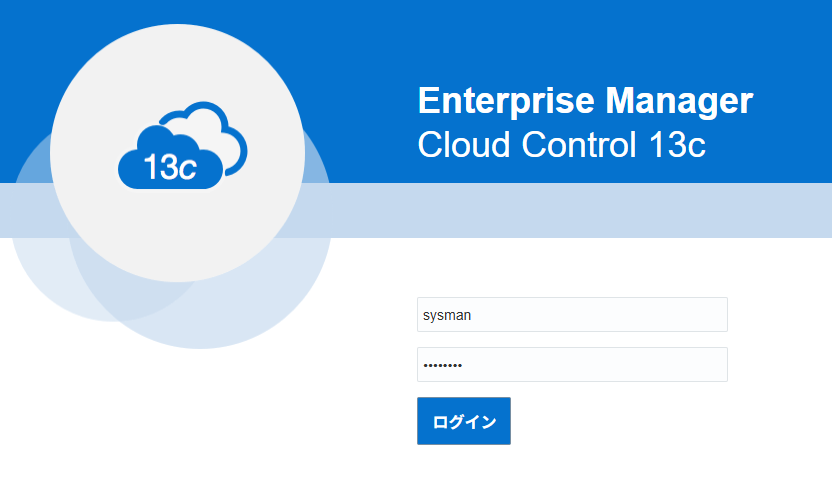
SYSMAN/<インストール時に指定したパスワード入力 (例:welcome1)>
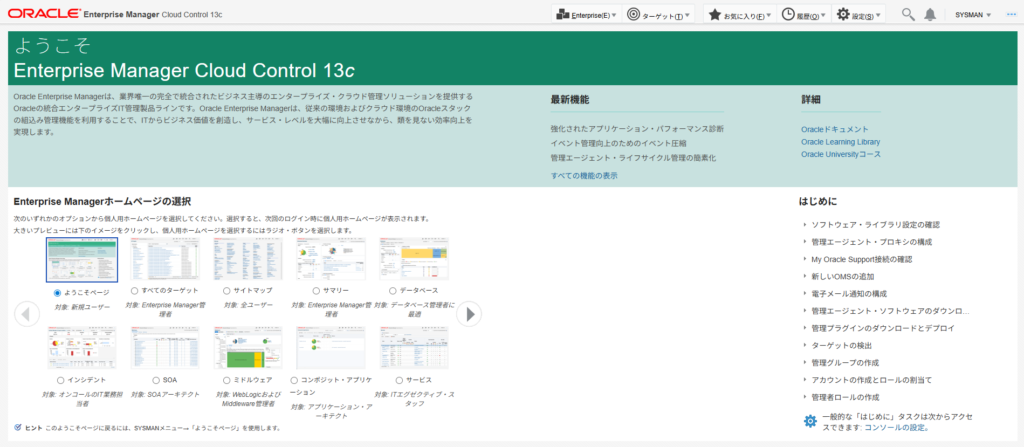
補足:レスポンスファイル出力方法
環境に合わせたレスポンスファイルの雛形(テンプレート)を生成するには、以下のコマンドを実行します。
./em13500_linux64.bin -getResponseFileTemplates
実行後、/tmp/sfx_XXXXX/Disk1 内に new_install.rsp などのテンプレートがコピーされます。これをベースに編集するのが確実です。
[oracle@em13cr5 em_dir]$ ./em13500_linux64.bin -getResponseFileTemplates
Launcher log file is /tmp/OraInstall2026-02-14_09-22-41PM/launcher2026-02-14_09-22-41PM.log.
Extracting the installer . . . . . . . . . . . . . . . . . . . . . . . . . . . . . . . . . . . . . . . . . . . . . . . . . . . . . . . . . . . . . . . . . . . . . . . . . . . Done
Copying response file template(s)
to /tmp/sfx_bFY02K/Disk1
  Copying response file template softwareOnlyWithPlugins_install.rsp
  Copying response file template emprereqkit_upgrade.rsp
  Copying response file template upgrade.rsp
  Copying response file template new_install.rsp
  Copying response file template emprereqkit_install.rsp
  Copying response file template softwareOnlyWithPlugins_upgrade.rsp
Finished copying response file template(s)

The log(s) can be found here: /tmp/OraInstall2026-02-14_09-22-41PM.
[oracle@em13cr5 em_dir]$
トラブルシューティング
| エラー/現象 | 原因 | 対処法 |
|---|---|---|
| GUIが起動しない/遅い | SSH X11転送の遅延やライブラリ不足 | 本記事推奨のサイレントインストールへ切り替え |
| ORA-01017 | DBユーザー(SYS)のパスワード相違 | レスポンスファイルの SYS_PASSWORD を確認 |
| 前提条件チェック失敗 | processes 等の不足 | DBパラメータを SQL> show parameter で再確認 |
運用・セキュリティ上の注意
- バックアップ: インストール完了直後の DB(リポジトリ)とミドルウェア・ディレクトリのバックアップを推奨します。
- SSL証明書: 既定では自己署名証明書が使用されます。実運用では信頼された証明書への入れ替えを検討してください。
- 戻し方: 万が一失敗した場合は、
/u01/app/middleware/oui/bin/deinstall.shによるアンインストールを実施してください。
FAQ
Q1: GUIインストールで失敗したのですが、やり直しは必要ですか? A: はい。中途半端にファイルが残るとサイレントインストールも失敗するため、一度インストール先ディレクトリを削除し、DBリポジトリをクリーンにする必要があります。
Q2: 19c PDBをリポジトリにできますか? A: はい。レスポンスファイルの SERVICENAME_OR_SID に PDB のサービス名を指定してください。
Q3: インストールログはどこにありますか? A: /u01/app/oraInventory/logs 配下に詳細なログが出力されます。
まとめ
- GUIの不具合を回避するためにサイレントインストールを推奨。
- リポジトリDBの設定(隠しパラメータ等)を事前に行う。
- https://<ホスト名>:7803/em で管理画面へアクセスする。
本記事は Oracle Database 19c/EMCC 13.5 を対象に解説します(他バージョンは画面や既定値が異なる場合があります)。
💰 【PR】Oracleエンジニアの市場価値、調べてみませんか?
Oracleのスキルは需要が高く、特定の資格や経験を持っていると年収が大幅にアップするケースがあります。まずはIT専門のエージェントで非公開求人をチェックしてみませんか?


コメント