
This article explains the procedure for performing data replication between Oracle Database 26ai Free environments using the latest Oracle GoldenGate 23ai. This guide summarizes the setup steps based on actual machine logs for those who want to “try GoldenGate in the latest 26ai environment” or “understand the flow from installation to initial configuration.”

- Conclusion: Setup Steps for 26ai and GG 23ai
- 1. Verification Environment Configuration and Prerequisites
- 2. Database Preparation (PDB Creation and TNS Settings)
- 3. Installing Oracle GoldenGate 23ai
- 4. Source DB Settings (26ai-gg23ais)
- 5. Target DB Settings (26ai-gg23ait)
- 6. GoldenGate Process Settings and Synchronization Verification
- Troubleshooting
- 8. FAQ (Frequently Asked Questions)
- Summary
Conclusion: Setup Steps for 26ai and GG 23ai
The shortest route to integrating Oracle Database 26ai Free and GoldenGate 23ai is as follows:
- OS/DB Preparation: Prepare two 26ai Free environments and configure PDBs and TNS.
- GG Installation: Install OGG 23ai (Microservices).
- DB Parameter Settings: Enable
enable_goldengate_replication. - User Creation: Grant the recommended roles for 23ai and later (
ogg_capture/ogg_apply). - Process Configuration: Create Extract / Replicat via Service Manager.
1. Verification Environment Configuration and Prerequisites
We will build two environments, Source and Target, on Oracle Linux 8 running on Oracle VM VirtualBox.
| Item | Source | Target |
| Hostname | 26ai-gg23ais | 26ai-gg23ait |
| IP Address | 192.168.56.101 | 192.168.56.102 |
| DB Version | Oracle DB 26ai Free (23.26.0) | Oracle DB 26ai Free (23.26.0) |
| GG Version | Oracle GoldenGate 23ai (23.4.1) | Oracle GoldenGate 23ai (23.4.1) |
| CDB | FREE | FREE |
| PDB | PDBS | PDBT |
| GG User | ggadmins | ggadmint |
Prerequisites
- Firewall is disabled (
systemctl stop firewalld). - Hostnames and IPs are registered in
/etc/hostson both sides.
2. Database Preparation (PDB Creation and TNS Settings)
First, delete the default FREEPDB1 and create the verification PDBs (PDBS / PDBT) for this setup.
2-1. Recreating the PDB
The following is an example of execution on the source side (26ai-gg23ais). Please create PDBT on the target side in the same way.
-- Check PDBs
SQL> show pdbs

-- Create PDBS by duplicating the existing PDB
-- Explanation: Use file_name_convert to replace data file paths and copy
SQL> create pluggable database pdbs from freepdb1
  2  file_name_convert=('FREEPDB1','PDBS');

-- Open the PDB
SQL> alter pluggable database all open;

-- Delete the unnecessary FREEPDB1
-- Explanation: Deleting the unnecessary initial PDB to save resources
SQL> alter pluggable database freepdb1 close immediate;
SQL> drop pluggable database freepdb1 including datafiles;

SQL> show pdbs
    CON_ID CON_NAME                       OPEN MODE  RESTRICTED
---------- ------------------------------ ---------- ----------
         2 PDB$SEED                       READ ONLY  NO
4 PDBS READ WRITE NO2-2. tnsnames.ora Settings
Edit tnsnames.ora so that GoldenGate can connect to each PDB. File path: $ORACLE_HOME/network/admin/tnsnames.ora
# Source Settings Example
# Specify the host and service name for each entry (PDBS, PDBT)

FREE =
  (DESCRIPTION =
    (ADDRESS = (PROTOCOL = TCP)(HOST = gg23ai-s)(PORT = 1521))
    (CONNECT_DATA =
      (SERVER = DEDICATED)
      (SERVICE_NAME = FREE)
    )
  )

PDBS =
  (DESCRIPTION =
    (ADDRESS = (PROTOCOL = TCP)(HOST = gg23ai-s)(PORT = 1521))
    (CONNECT_DATA =
      (SERVER = DEDICATED)
      (SERVICE_NAME = PDBS)
    )
  )

PDBT =
  (DESCRIPTION =
    (ADDRESS = (PROTOCOL = TCP)(HOST = gg23ai-t)(PORT = 1521))
    (CONNECT_DATA =
      (SERVER = DEDICATED)
      (SERVICE_NAME = PDBT)
    )
  )
# Target Settings Example
# Specify the host and service name for each entry (PDBS, PDBT)

FREE =
  (DESCRIPTION =
    (ADDRESS = (PROTOCOL = TCP)(HOST = gg23ai-t)(PORT = 1521))
    (CONNECT_DATA =
      (SERVER = DEDICATED)
      (SERVICE_NAME = FREE)
    )
  )

PDBS =
  (DESCRIPTION =
    (ADDRESS = (PROTOCOL = TCP)(HOST = gg23ai-s)(PORT = 1521))
    (CONNECT_DATA =
      (SERVER = DEDICATED)
      (SERVICE_NAME = PDBS)
    )
  )

PDBT =
  (DESCRIPTION =
    (ADDRESS = (PROTOCOL = TCP)(HOST = gg23ai-t)(PORT = 1521))
    (CONNECT_DATA =
      (SERVER = DEDICATED)
      (SERVICE_NAME = PDBT)
    )
)3. Installing Oracle GoldenGate 23ai
Install GoldenGate 23ai (Microservices Architecture). Perform this on both the source and target.
※ About GoldenGate 23ai and Microservices Architecture (MA) In Oracle GoldenGate 23ai, the Microservices Architecture (MA) becomes the standard configuration, replacing the traditional Classic Architecture. Key features of MA configuration:
- REST API Based: All operations can be executed via REST API, improving affinity with cloud environments and automation tools.
- Service Manager: A monitoring and management process that centrally manages multiple deployments.
- Administration Server: A server function for creating and managing Extract/Replicat processes.
- Web UI: An intuitive browser-based management screen (HTML5) is provided, and GUI operations become the main method.
We will proceed with installation and configuration assuming this MA configuration.
3-1. Directory Creation and Unzipping
# Directory Creation
# Explanation: Create directories for Home, ServiceManager, Deployment, TNS, etc., in a recommended configuration
mkdir -p /opt/oracle/goldengate/23ai/ogg_home
mkdir -p /opt/oracle/goldengate/23ai/sm_home
mkdir -p /opt/oracle/goldengate/23ai/dp_home
mkdir -p /opt/oracle/goldengate/23ai/tns_admin
mkdir /opt/oracle/oggsc

# Unzip Installer
cd /opt/oracle/oggsc
unzip -q V1042871-01.zip
cd fbo_ggs_Linux_x64_Oracle_services_shiphome/Disk1/
[reference]
Oracle GoldenGate Downloads
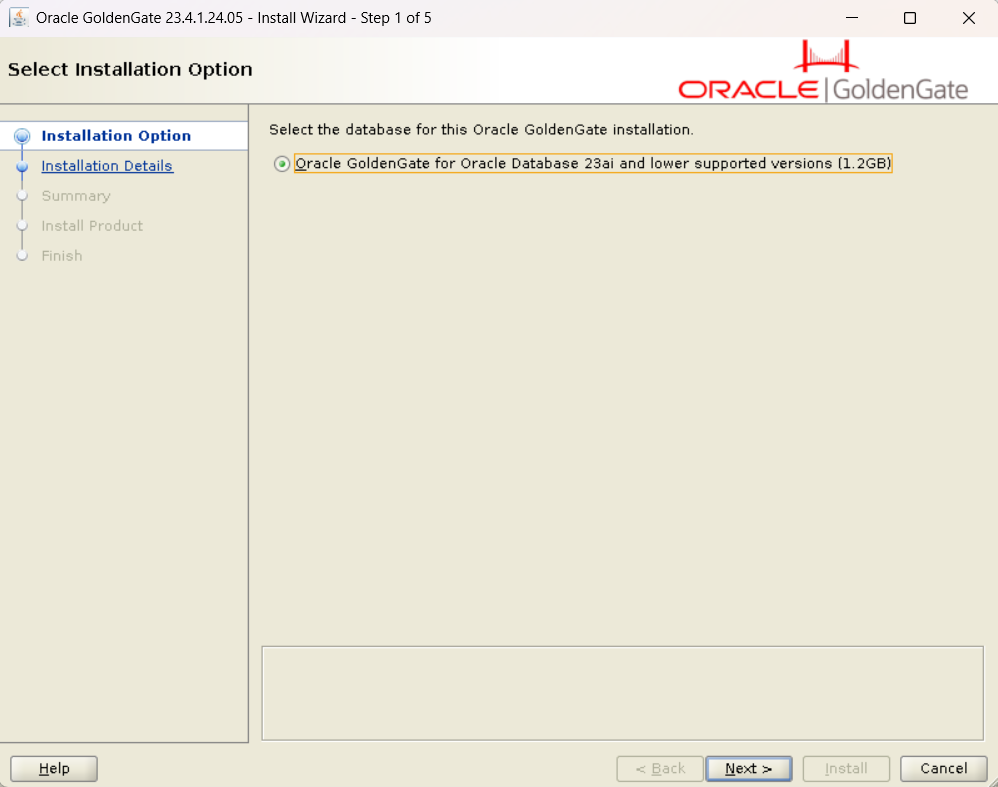
3-2. Running the Installer
./runInstaller
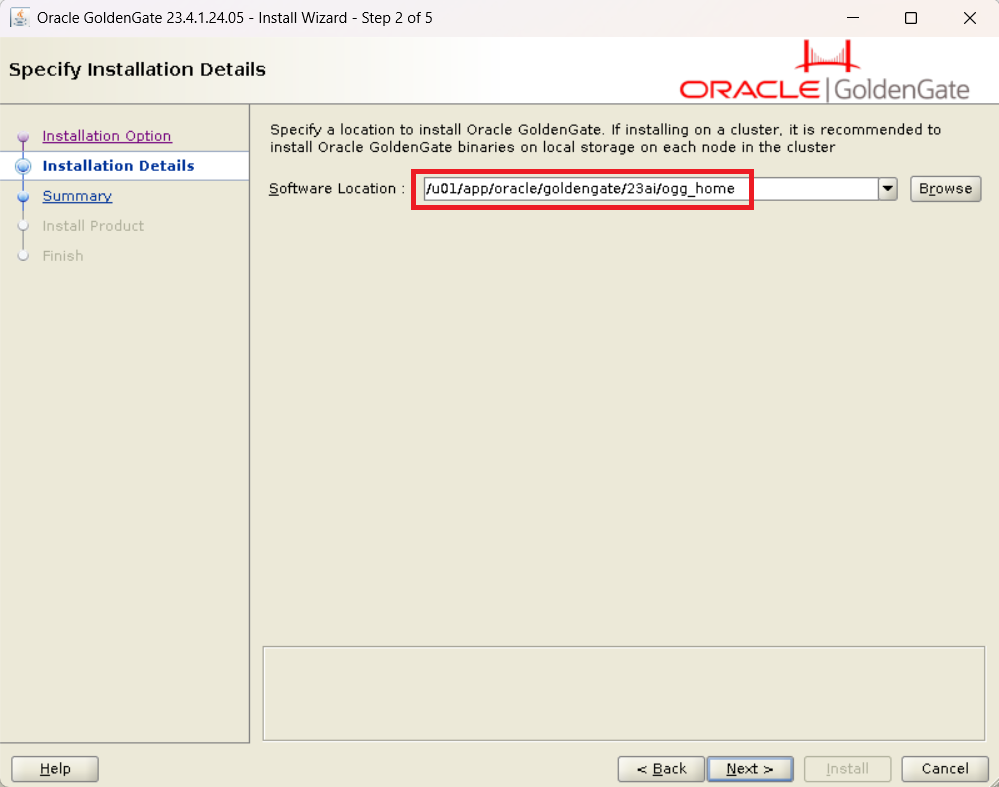
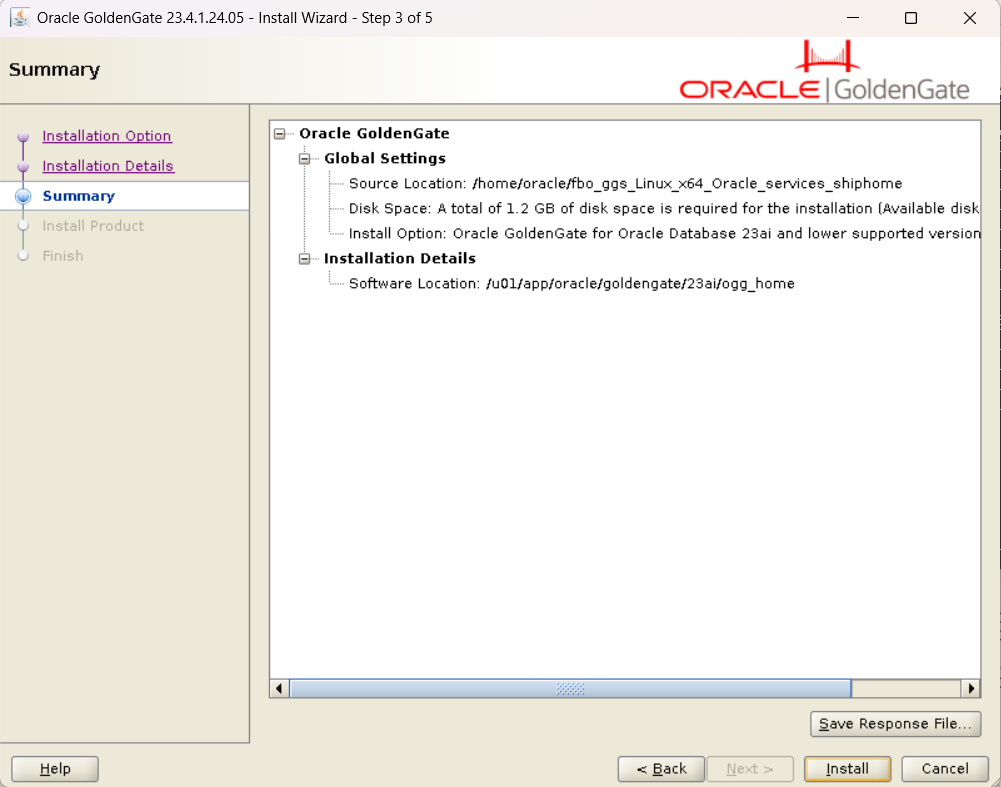
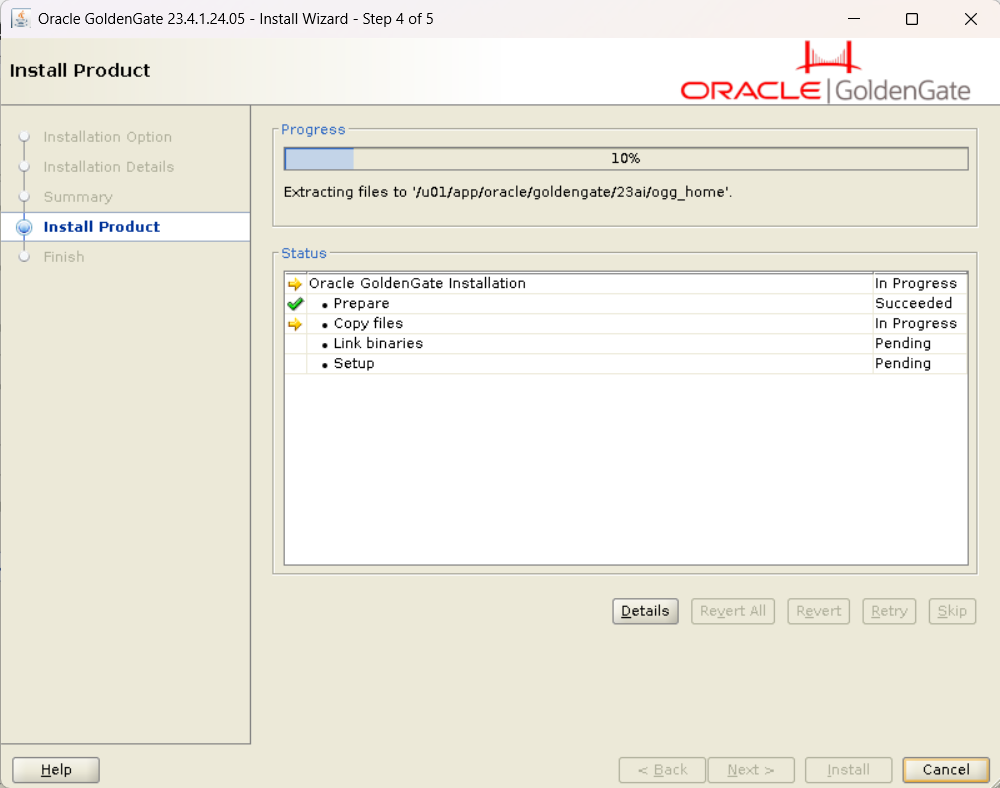
The GUI installer will launch. Enter the following values according to your environment.
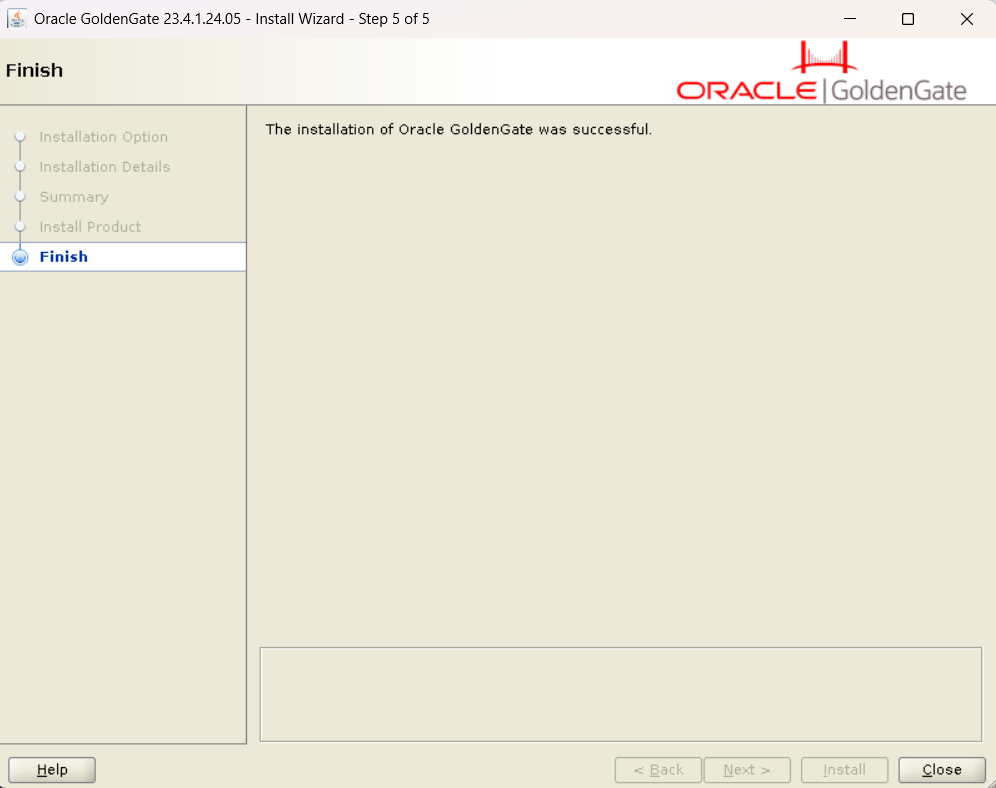
■ Installation Step (runInstaller)
- Software Location:
ogg_home(e.g.,/opt/oracle/goldengate/23ai/ogg_home)
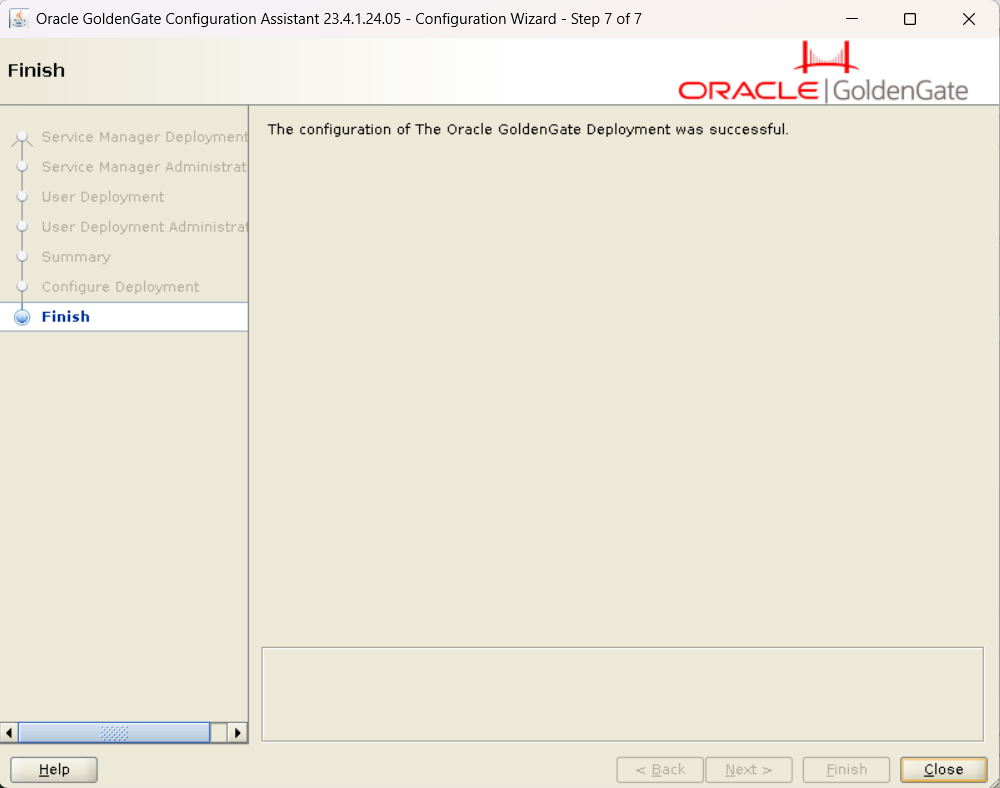
After installation is complete, use the Configuration Assistant (oggca.sh) to create a deployment.
/opt/oracle/goldengate/23ai/ogg_home/bin/oggca.sh
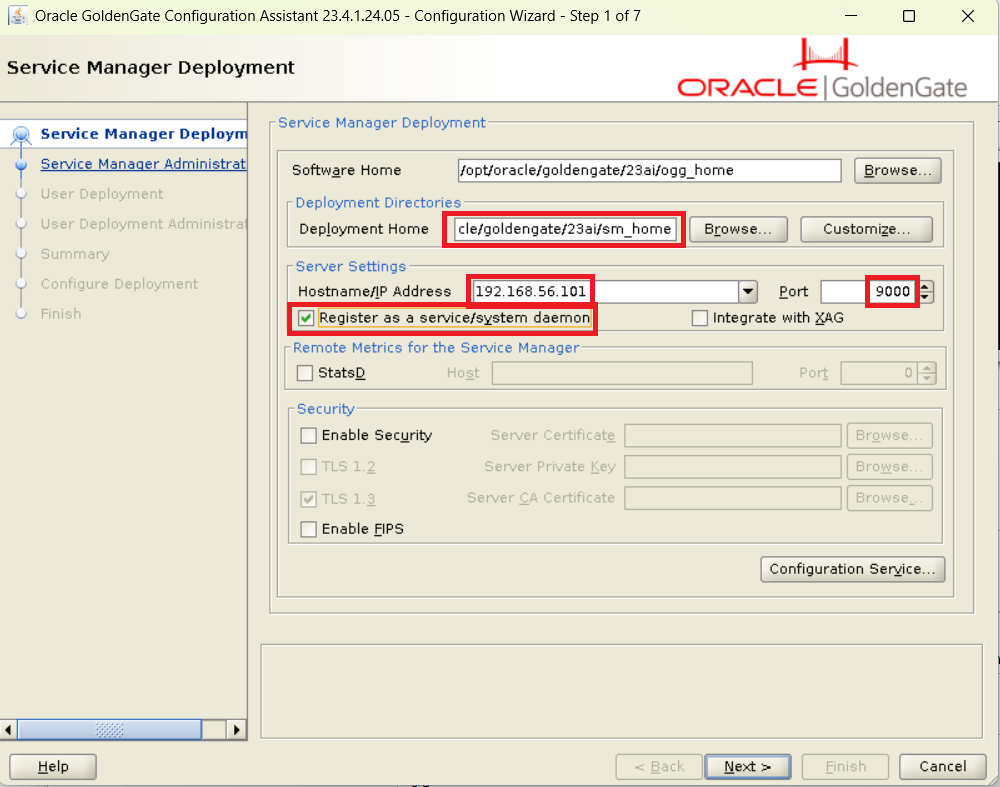
■ Configuration Step (oggca.sh) Run this on both source and target environments (replace IP addresses as appropriate).
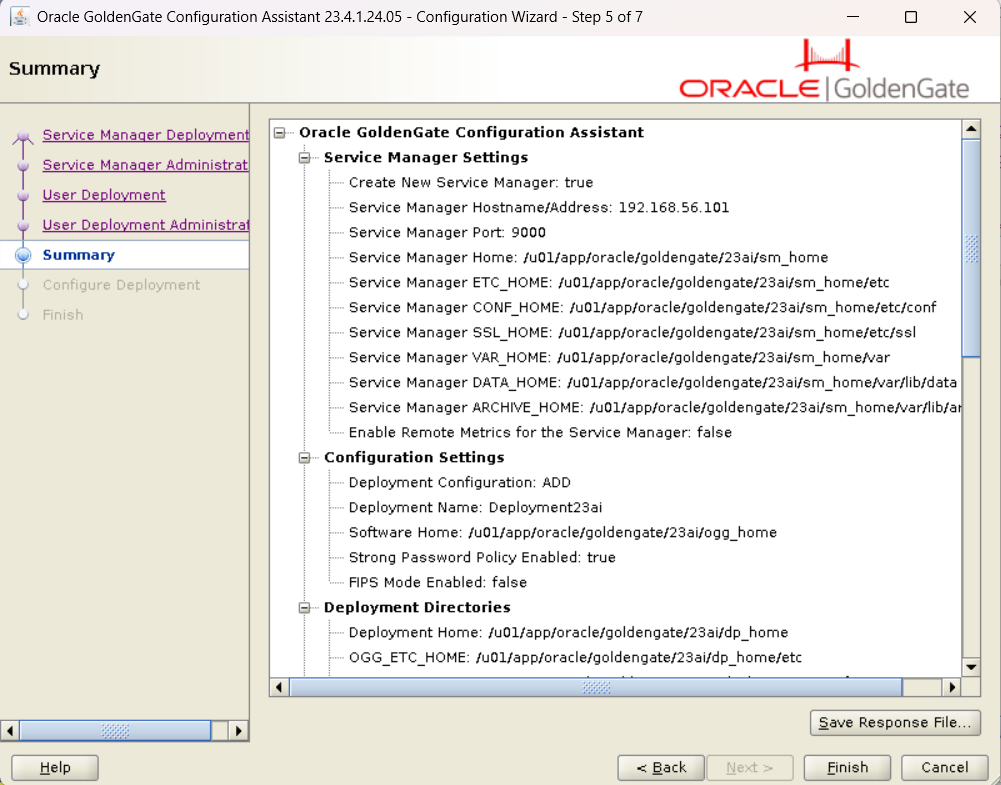
1. Service Manager Deployment
- Deployment Home:
sm_home(e.g.,/opt/oracle/goldengate/23ai/sm_home) - Host / IP address:
- Source:
192.168.56.101 - Target:
192.168.56.102
- Source:
- Port:
9000 - Service Registration: Check Register as service/system daemon
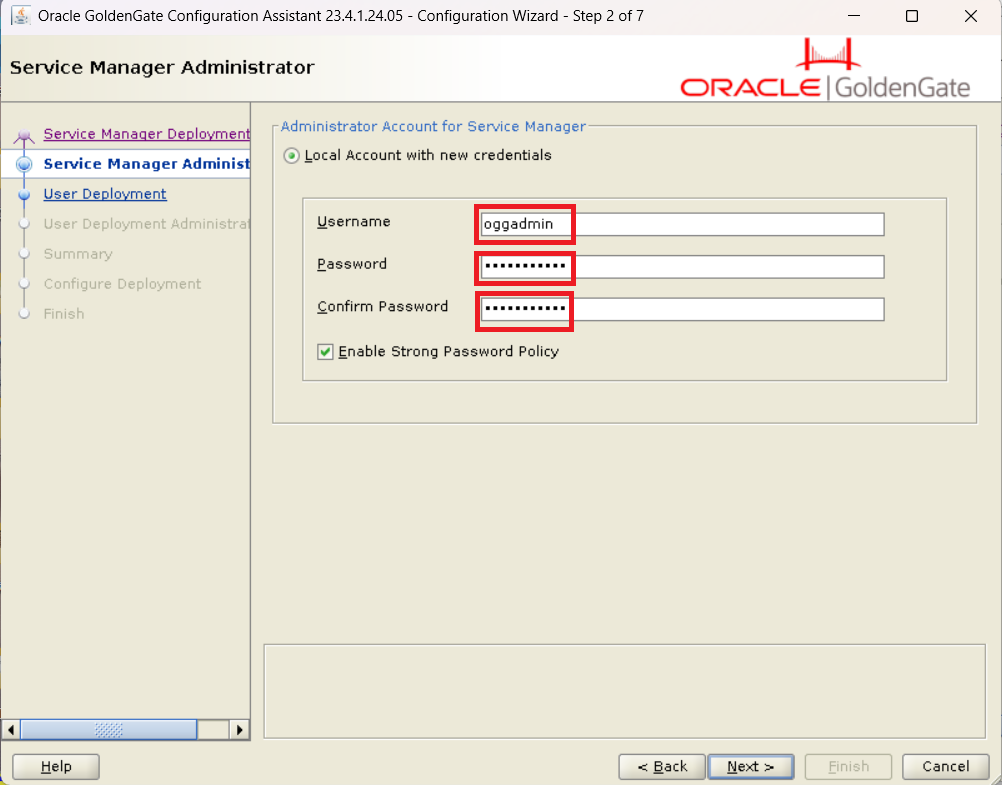
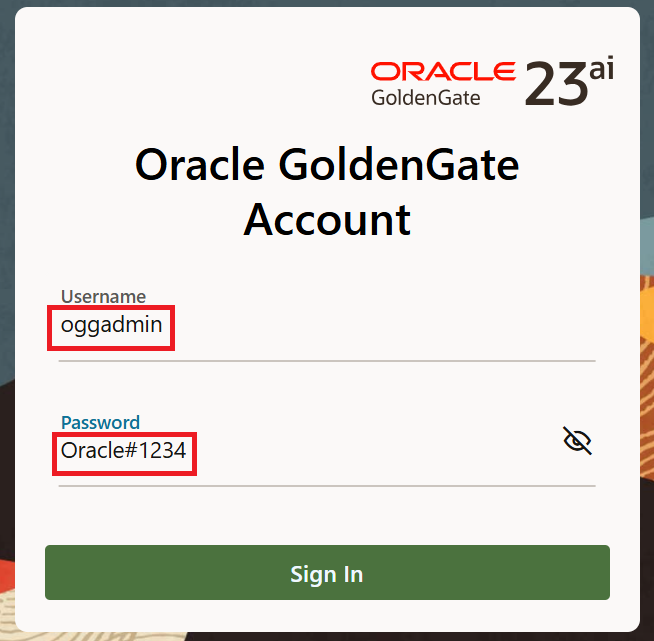
- Administrator Account:
- Username:
oggadmin - Password:
Oracle#1234
- Username:
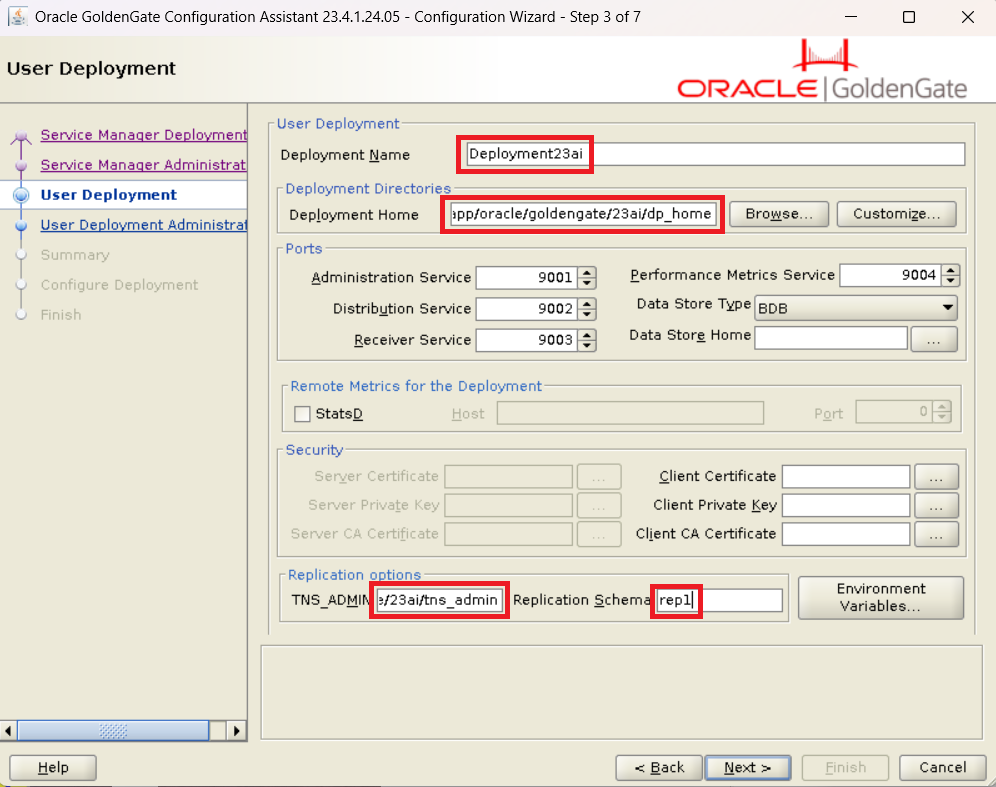
2. User Deployment
- Deployment Name:
Deployment23ai - Deployment Home:
dp_home(e.g.,/opt/oracle/goldengate/23ai/dp_home) - TNS_ADMIN:
tns_admin(e.g.,/opt/oracle/goldengate/23ai/tns_admin) - Replication Schema:
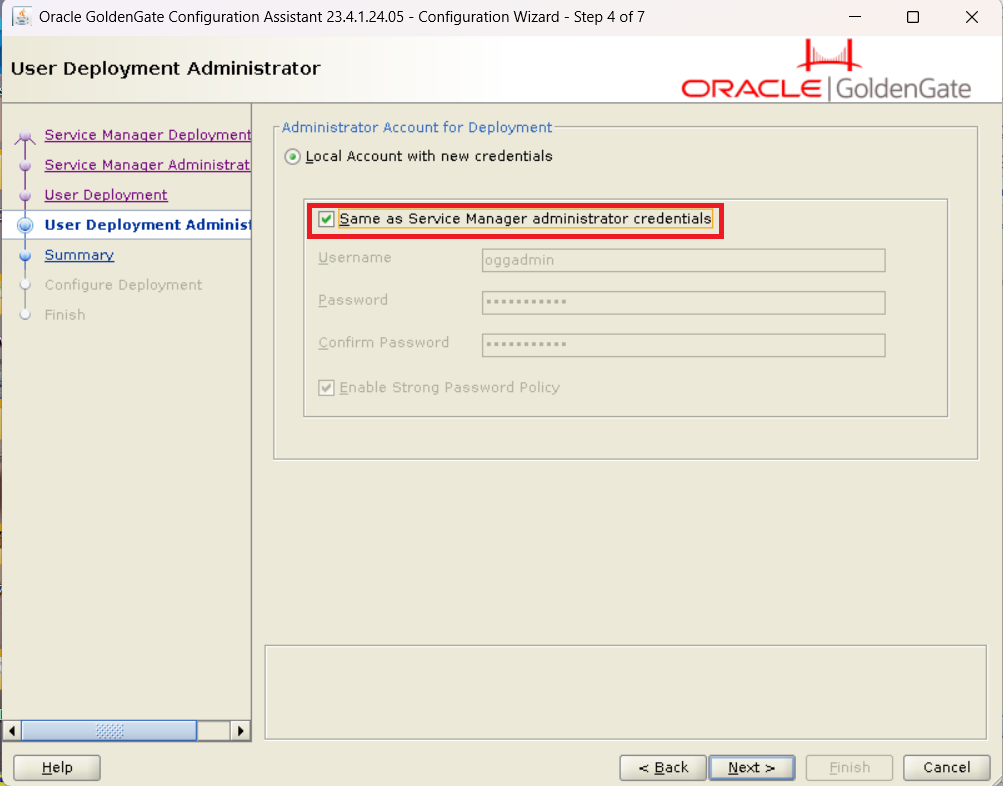
rep1 - Administrator Account:
- Check Same as Service Manager administrator credentials
3-3. Starting/Stopping Service Manager
If you performed system registration (systemd), start and stop the Service Manager with the following commands.
# Check Status
systemctl status OracleGoldenGate

# Start
systemctl start OracleGoldenGate

# Stop
systemctl stop OracleGoldenGate
4. Source DB Settings (26ai-gg23ais)
Perform parameter settings and user creation required for the GoldenGate capture process to operate.
4-1. DB Parameter Settings and Supplemental Logging
From DB 26ai / 23ai onwards, the enable_goldengate_replication parameter becomes important.
conn / as sysdba

-- Enable replication feature
-- Explanation: Since 19c (19.10+), setting this to TRUE is mandatory to use GG (also involves license control)
alter system set enable_goldengate_replication=true;

-- Enable supplemental logging and force logging (Execute in CDB$ROOT)
alter database add supplemental log data;
alter database force logging;

-- Switch logs to reflect settings
alter system archive log current;

-- Verify
select supplemental_log_data_min, force_logging from v$database;
4-2. Creating GG Admin User (PDBS)
Since 23ai, the simple role ogg_capture is available in addition to traditional grant assignments.
Note (For Multi-PDB Configuration): This time we are using a local user within a single PDB (
PDBS). However, if you target multiple PDBs for replication together, you need to create a common user (e.g.,c##ggadmin) inCDB$ROOTto manage the entire CDB.
alter session set container=pdbs;

-- Create User
create user ggadmins identified by oracle;
grant connect, resource to ggadmins;
alter user ggadmins quota unlimited on users;

-- Grant GoldenGate Capture Role
-- Explanation: ogg_capture is a role available from DB 23ai onwards.
-- It covers many privileges required for capture (such as SELECT ANY DICTIONARY) in one go.
grant ogg_capture to ggadmins;
4-3. Creating Test Table
conn ggadmins/oracle@pdbs

create table tbls (col1 number primary key, col2 varchar2(10));
insert into tbls values (1, 'AAA');
commit;
5. Target DB Settings (26ai-gg23ait)
On the target side, configure settings for the Apply process.
5-1. DB Parameter Settings
Perform the same steps as the source side.
conn / as sysdba
-- Enable GG, supplemental logging, and force logging settings
alter system set enable_goldengate_replication=true;
alter database add supplemental log data;
alter database force logging;
alter system archive log current;
5-2. Creating GG Admin User (PDBT)
For the target, grant the ogg_apply role.
alter session set container=pdbt;

-- Create User
create user ggadmint identified by oracle;
grant connect, resource to ggadmint;
alter user ggadmint quota unlimited on users;

-- Grant GoldenGate Apply Role
-- Explanation: ogg_apply is also a role available from DB 23ai onwards.
-- It includes privileges required for the apply process (such as INSERT/UPDATE/DELETE ANY TABLE).
grant ogg_apply to ggadmint;

-- Grant procedure replication privileges if necessary
grant ogg_apply_procrep to ggadmint;
5-3. Creating Test Table
conn ggadmint/oracle@pdbt

create table tblt (col1 number primary key, col2 varchar2(10));
insert into tblt values (1, 'AAA'); -- Insert data to match initial synchronization
commit;
6. GoldenGate Process Settings and Synchronization Verification
From here, access the GoldenGate Service Manager via a browser and configure the Extract and Replicat processes.
6-1. Process Configuration Flow
Enter the following values in each GUI screen to proceed with the configuration. Note: The GUI screens are assumed to be in English.
■ Source Side Settings (http://192.168.56.101:9000/)
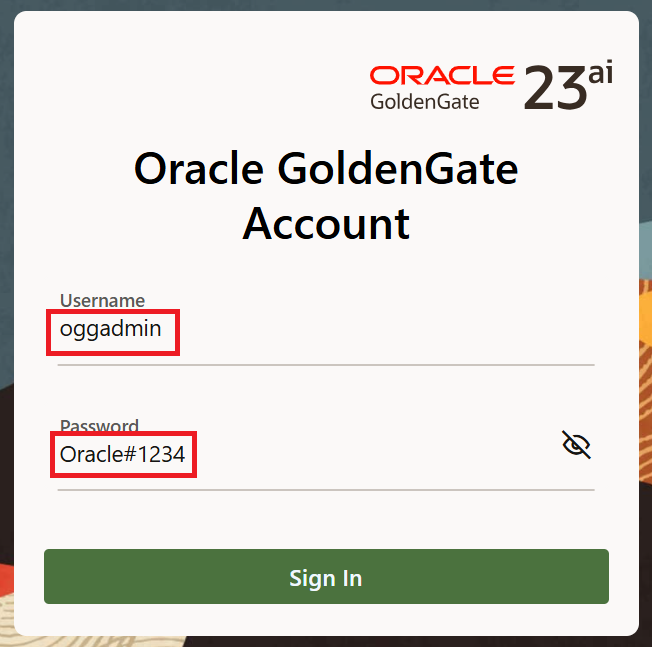
- Login:
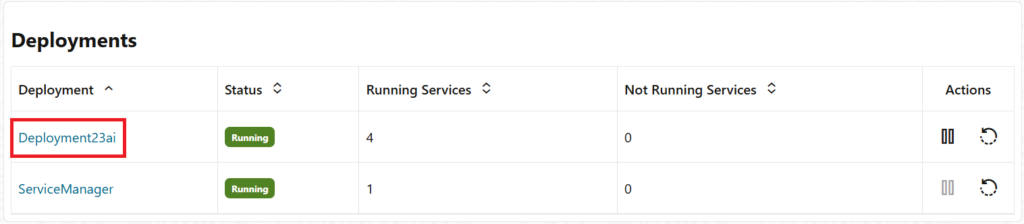
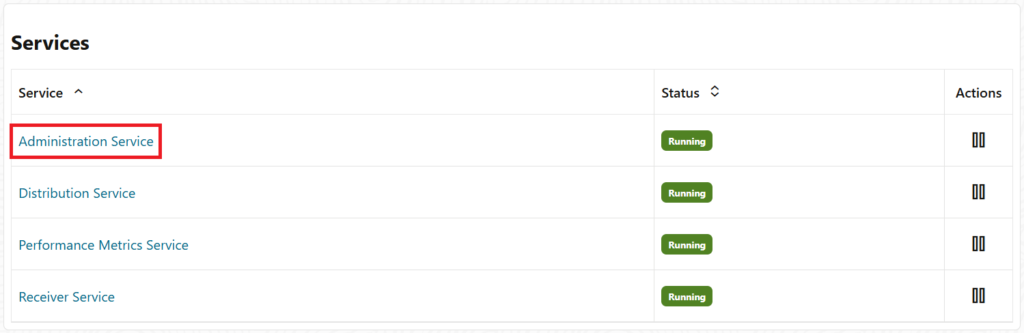
oggadmin/Oracle#1234 - Deployment: Select
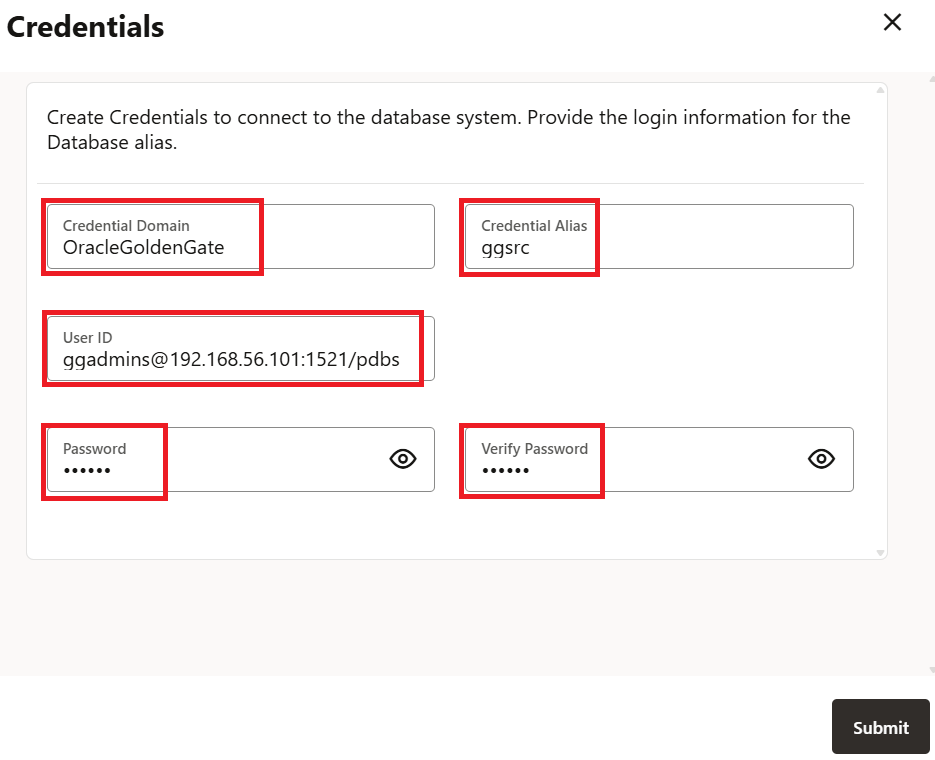
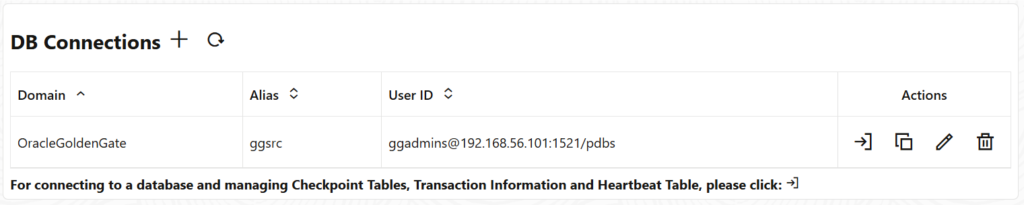
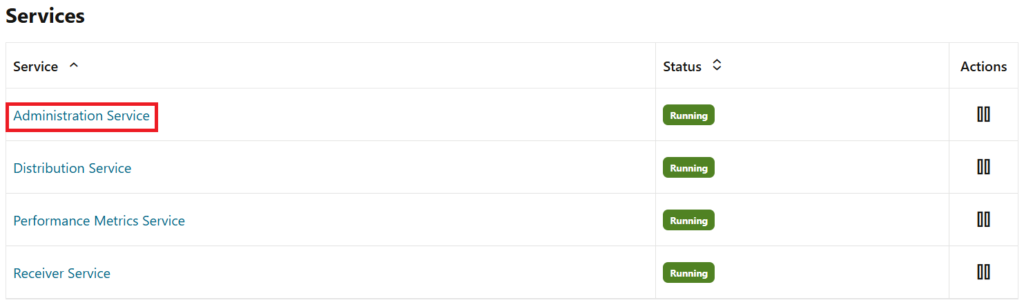
Deployment23ai→ Open Administration Service - DB Connection (Credential Store) Registration:
- Alias:
OracleGoldengate/ggsrc - User:
ggadmins@192.168.56.101:1521/pdbs - Password:
oracle
- Alias:
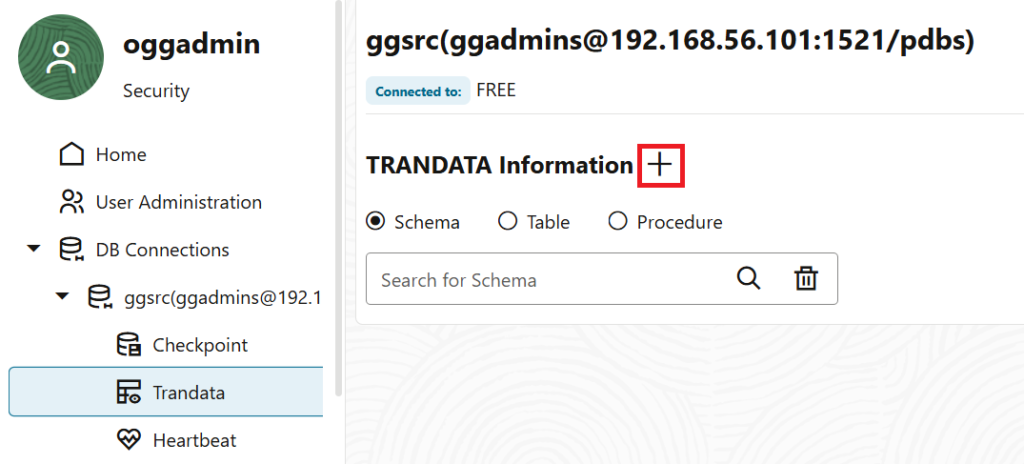
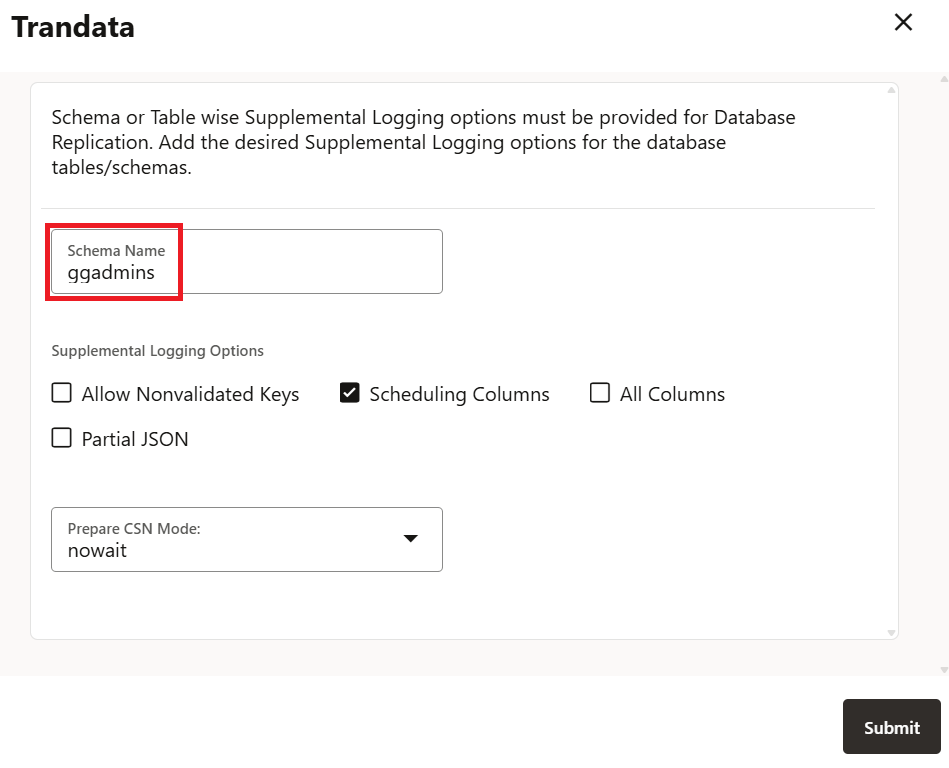
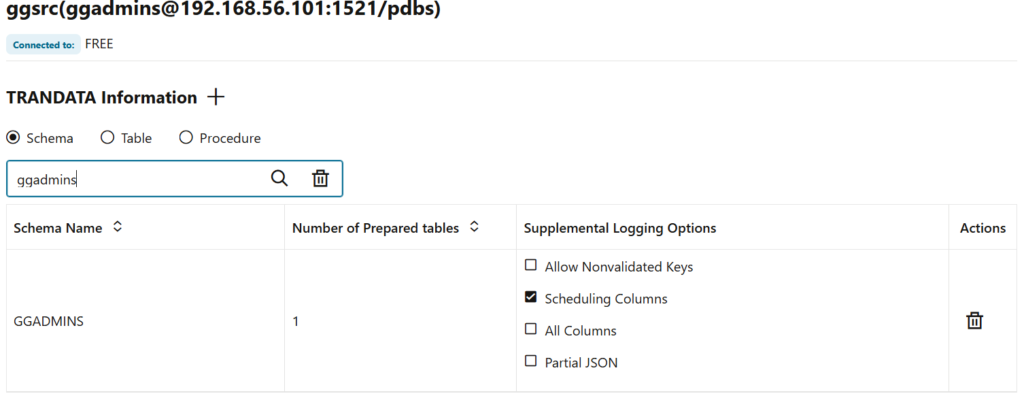
- Add TRANDATA:
- From TRANDATA Information, add the
ggadminsschema.
- From TRANDATA Information, add the
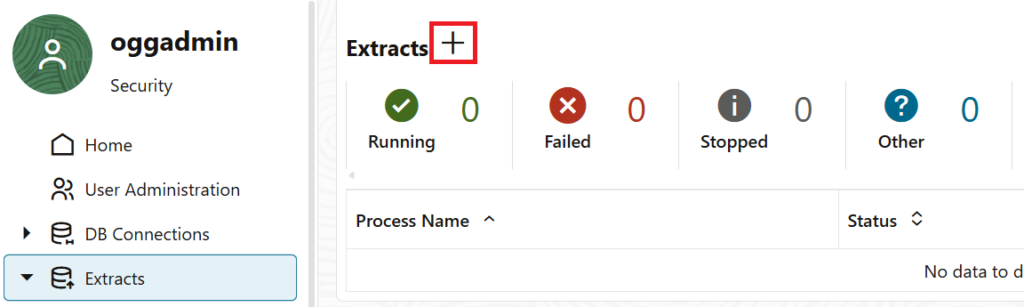
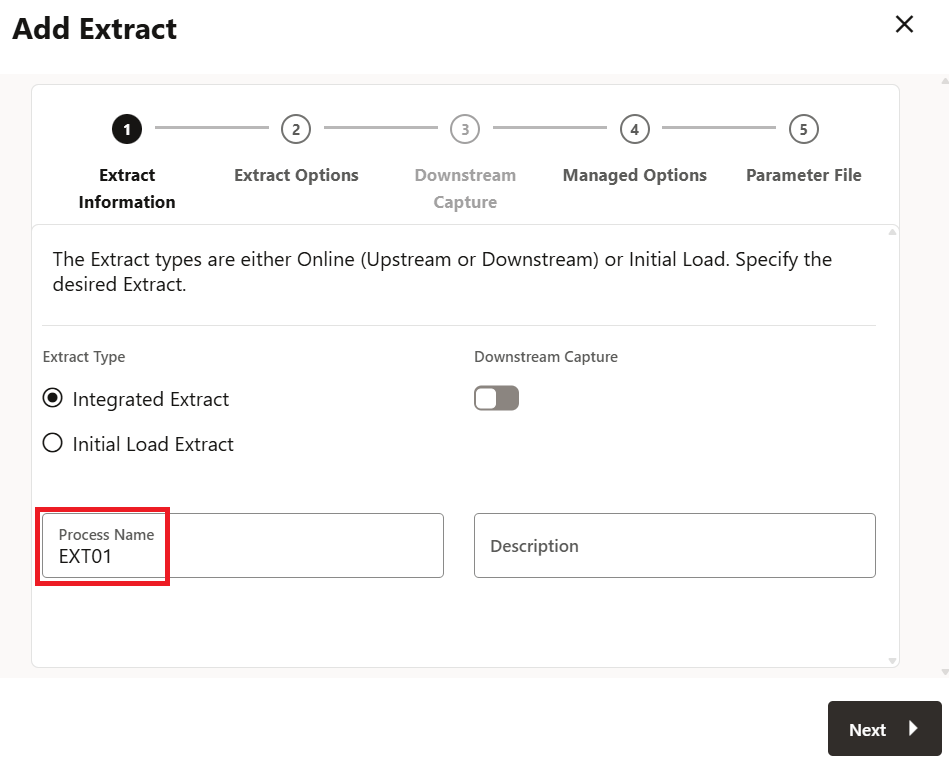
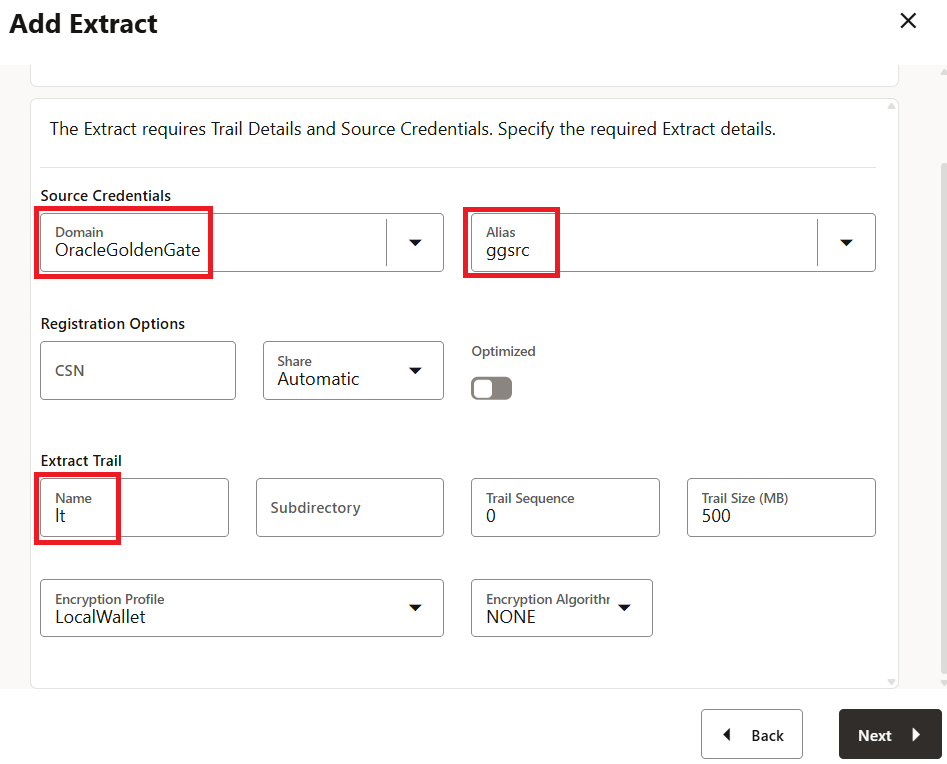
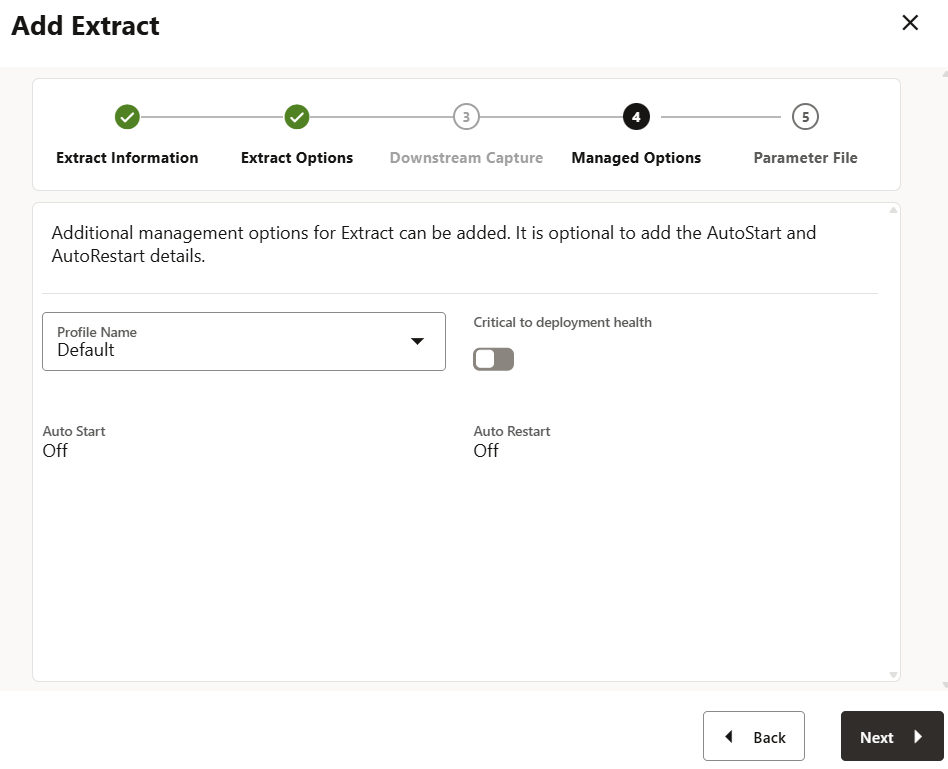
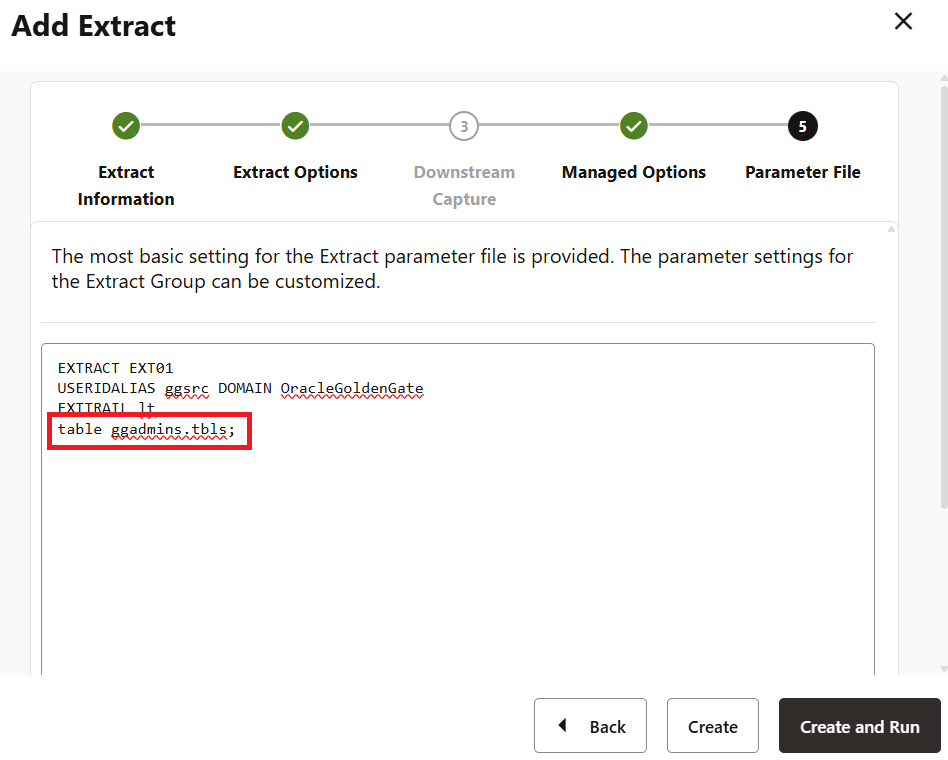
- Create Extract Process:
- Process Name:
EXT01 - Credential Alias:
OracleGoldenGate/ggsrc - Trail Name:
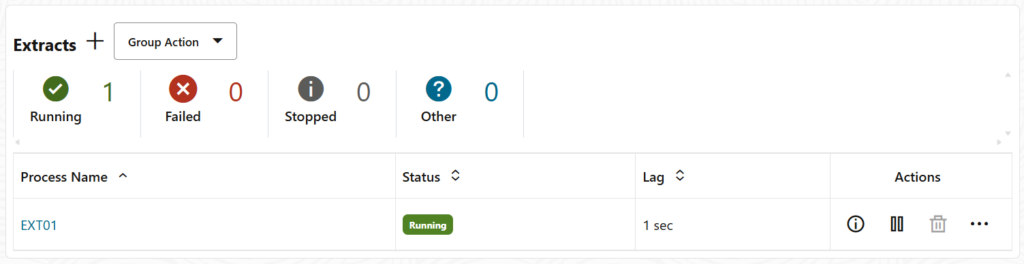
lt - Source: Ensure
EXT01status becomes Running.
- Process Name:

■ Target Side Settings (http://192.168.56.102:9000/)
- Login:
oggadmin/Oracle#1234 - Deployment: Select
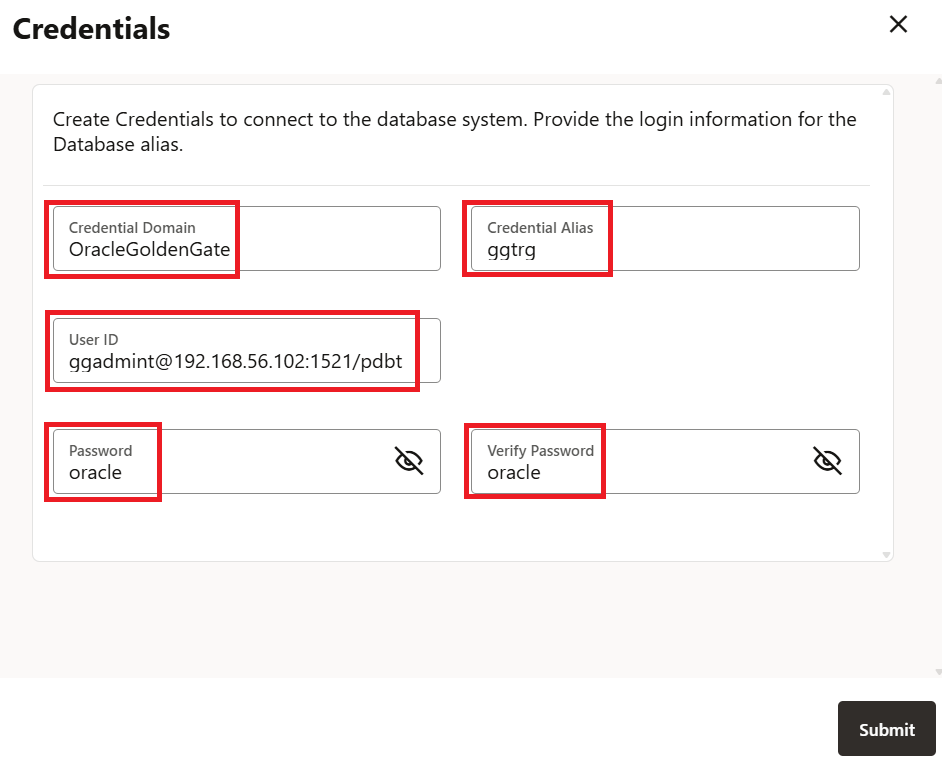
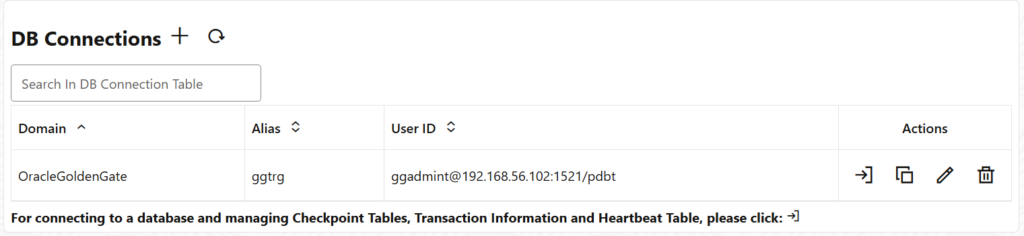
Deployment23ai→ Open Administration Service - DB Connection (Credential Store) Registration:
- Alias:
OracleGoldengate/ggtrg - User:
ggadmint@192.168.56.102:1521/pdbt - Password:
oracle
- Alias:
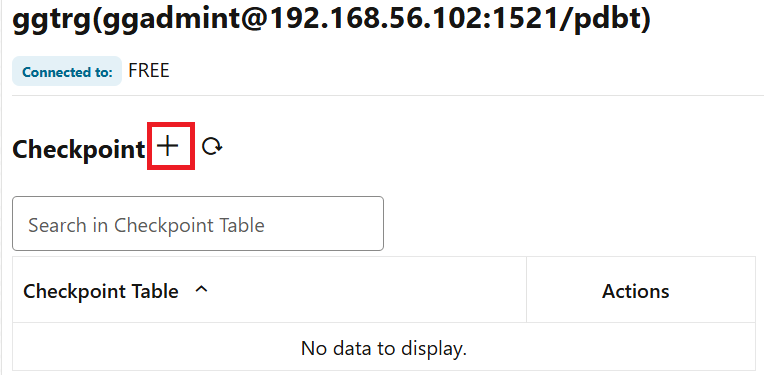
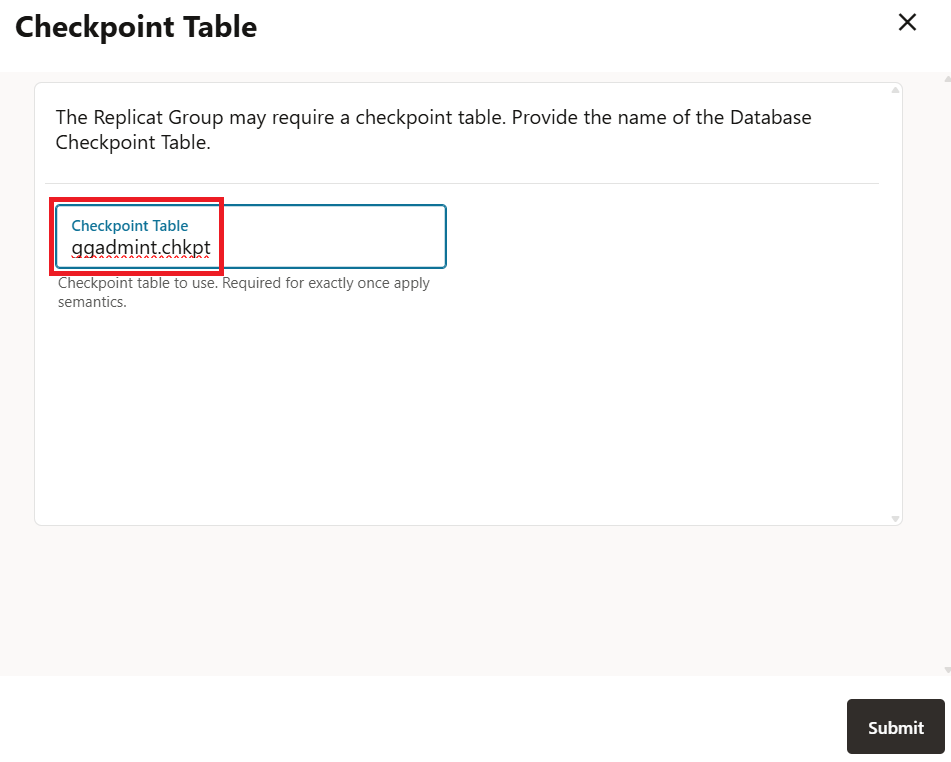
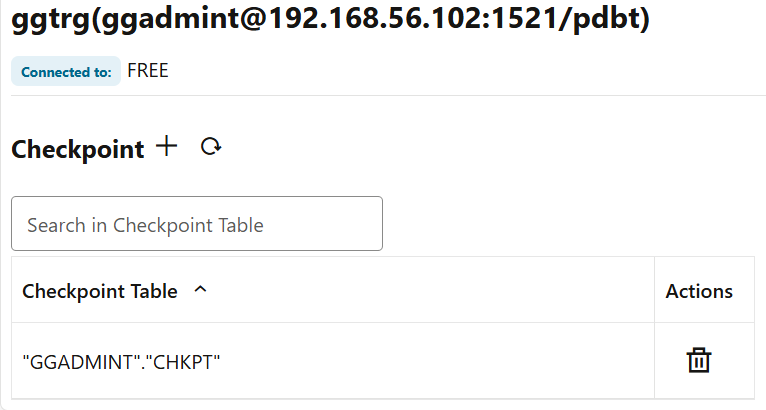
- Create Checkpoint Table:
- Checkpoint: Create
ggadmint.chkpt
- Checkpoint: Create
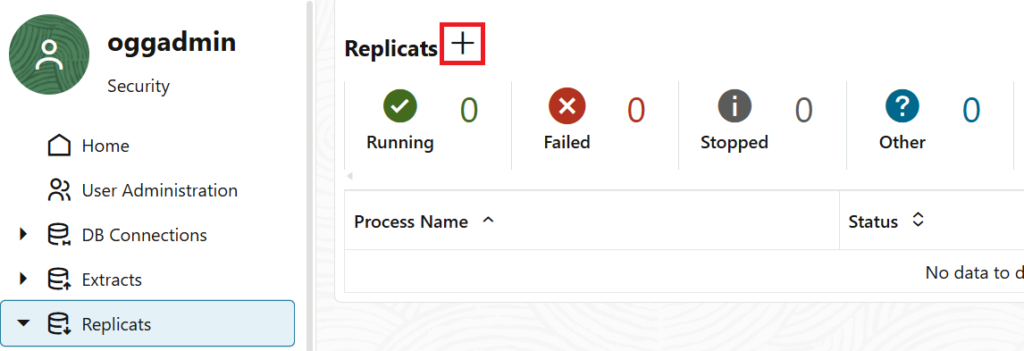
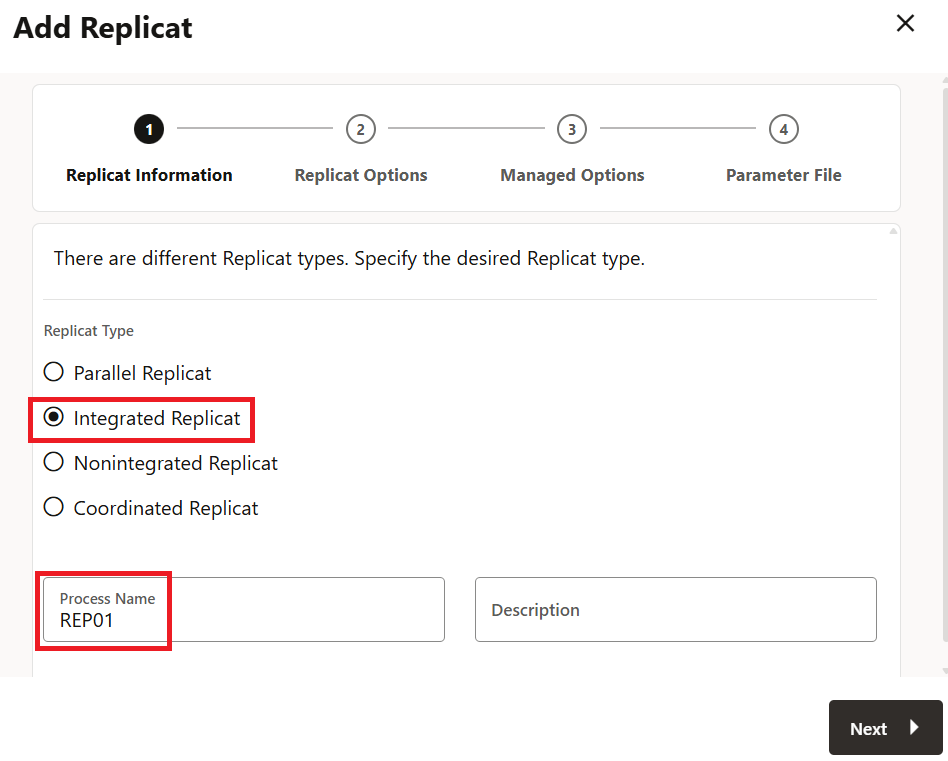
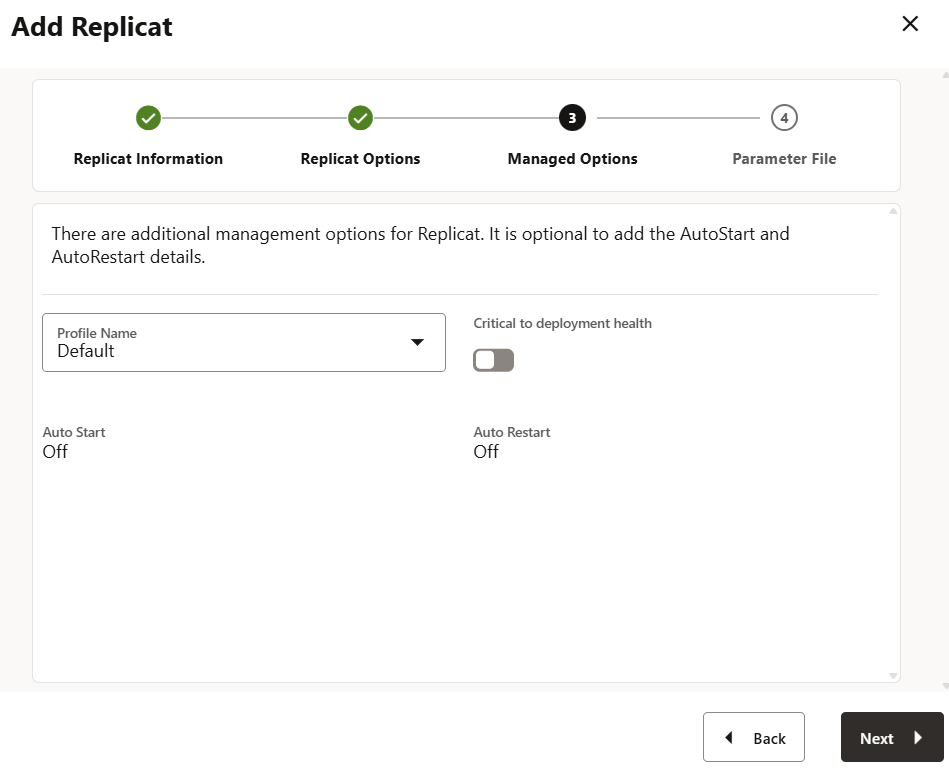
- Create Replicat Process:
- Type: Select Integrated Replicat
- Process Name:
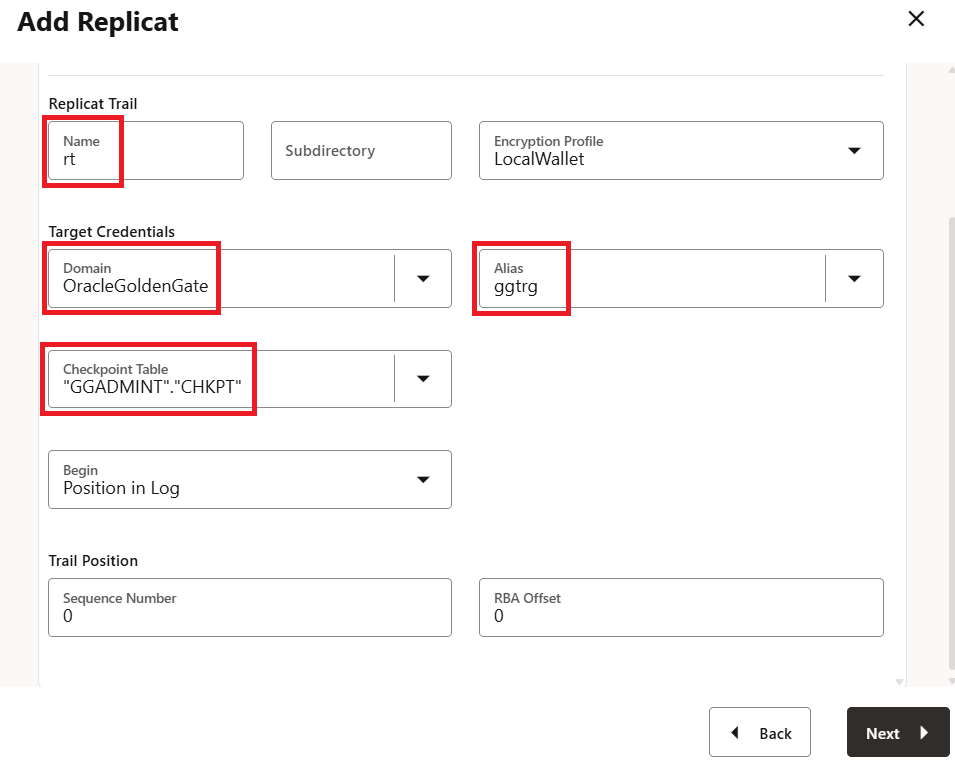
REP01 - Trail Name:
rt - Credential Alias:
OracleGoldenGate/ggtrg - Checkpoint Table:
"GGADMINT"."CHKPT" - Parameter:Plaintext
MAP ggadmins.tbls, TARGET ggadmint.tblt;


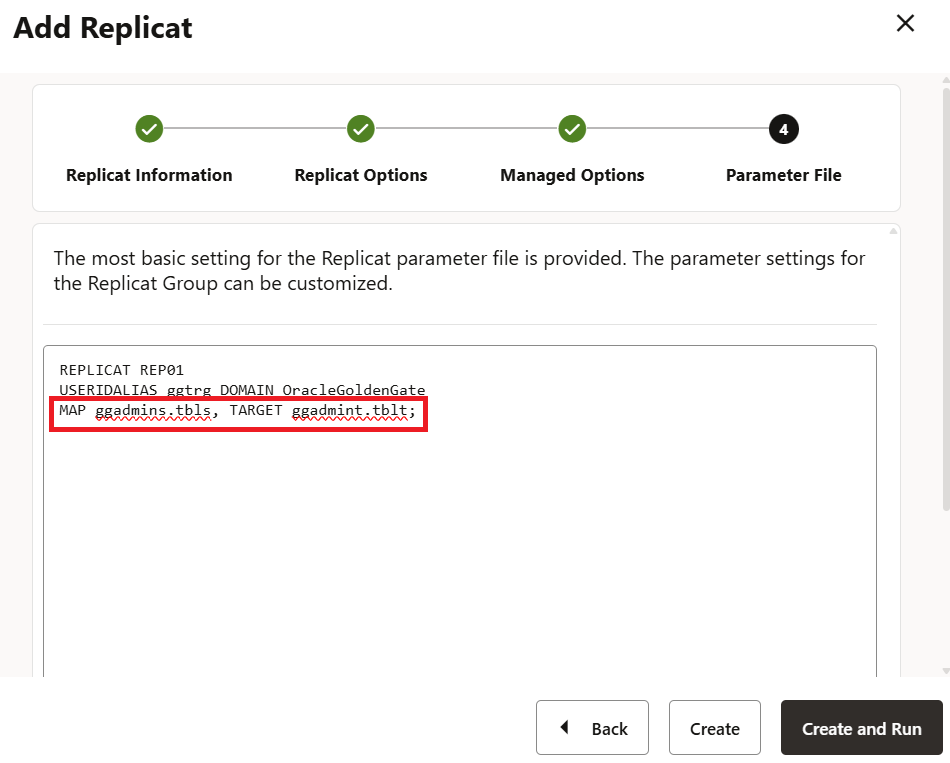
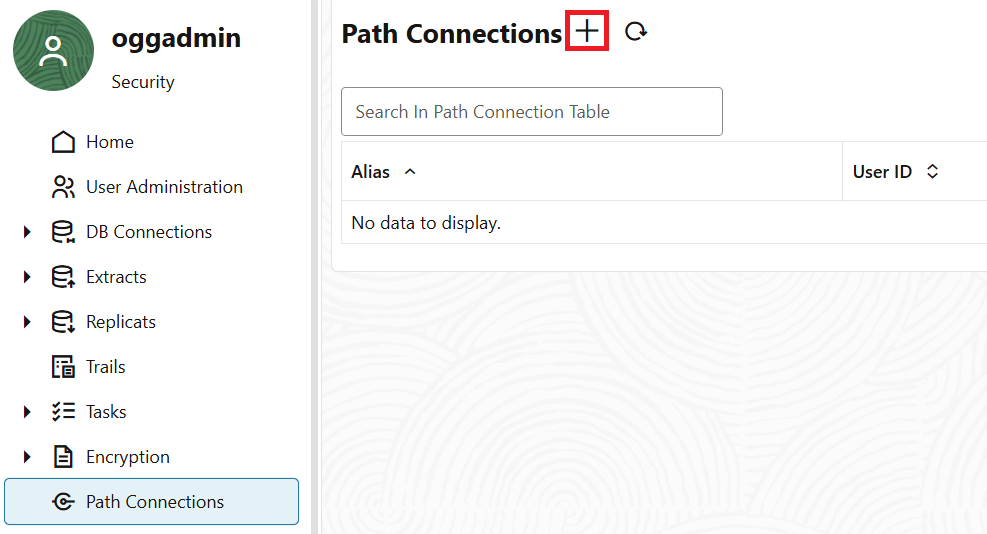
■ Transfer Settings (Source Side: http://192.168.56.101:9000/) After the target preparation is complete, return to the source side and configure the transfer path.
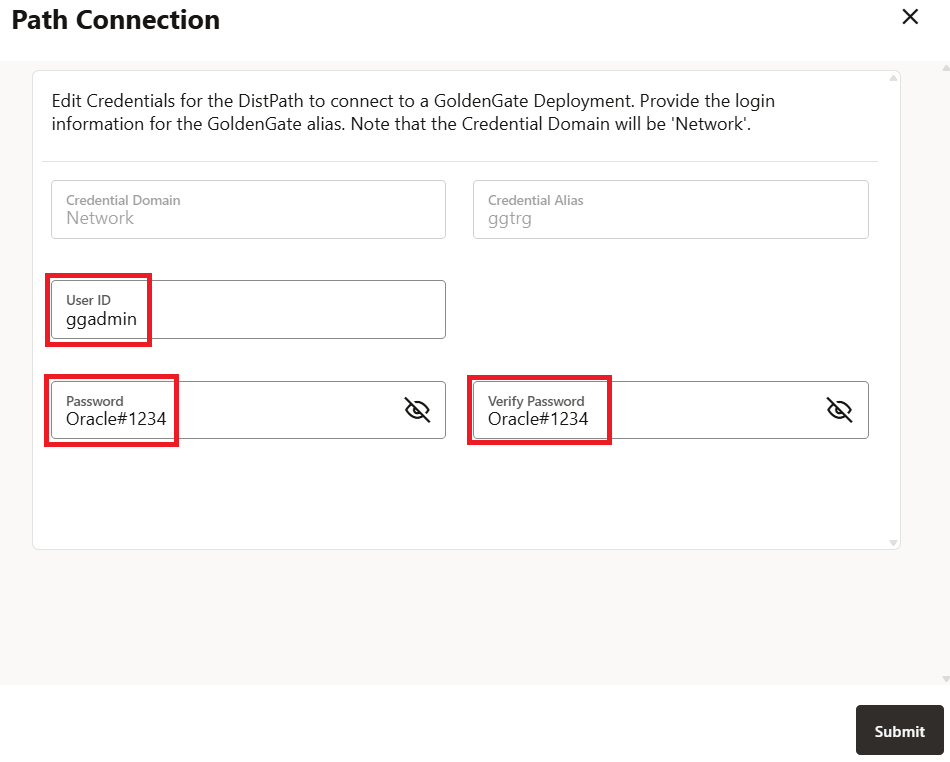
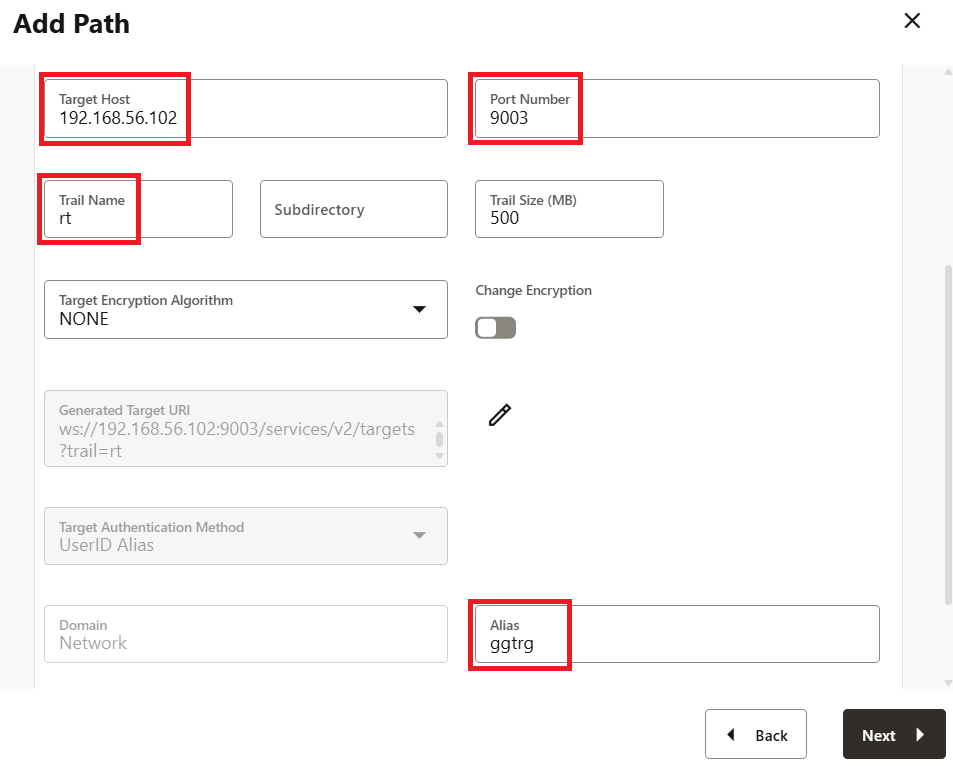
- Path Connection Registration (Distribution Service):
- Register connection information to the target.
- Alias:
ggtrg - User:
ggadmin/Oracle#1234
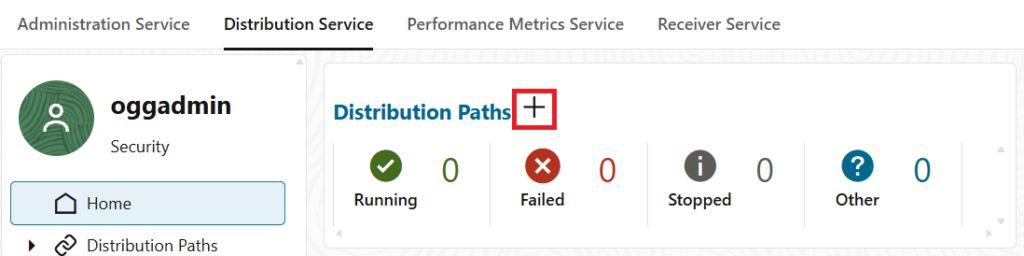
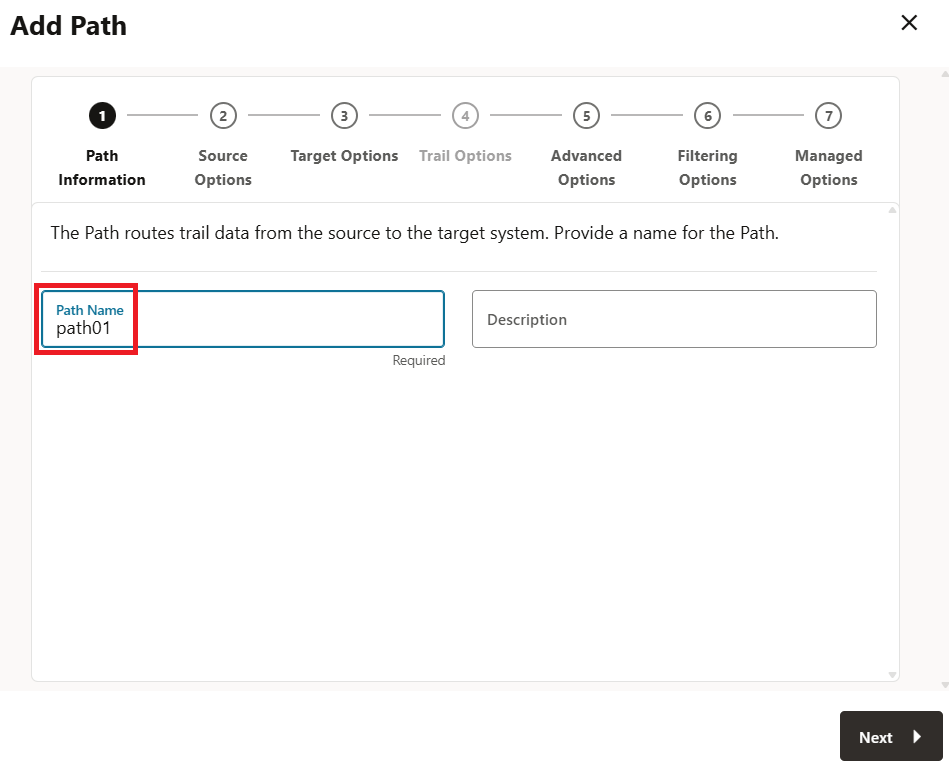
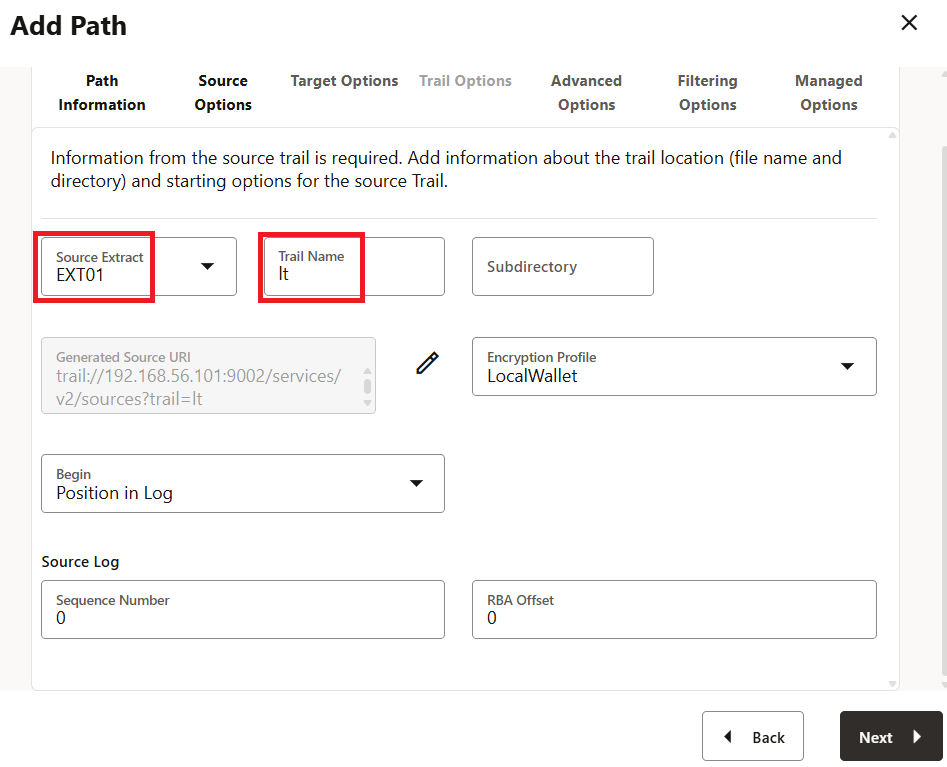
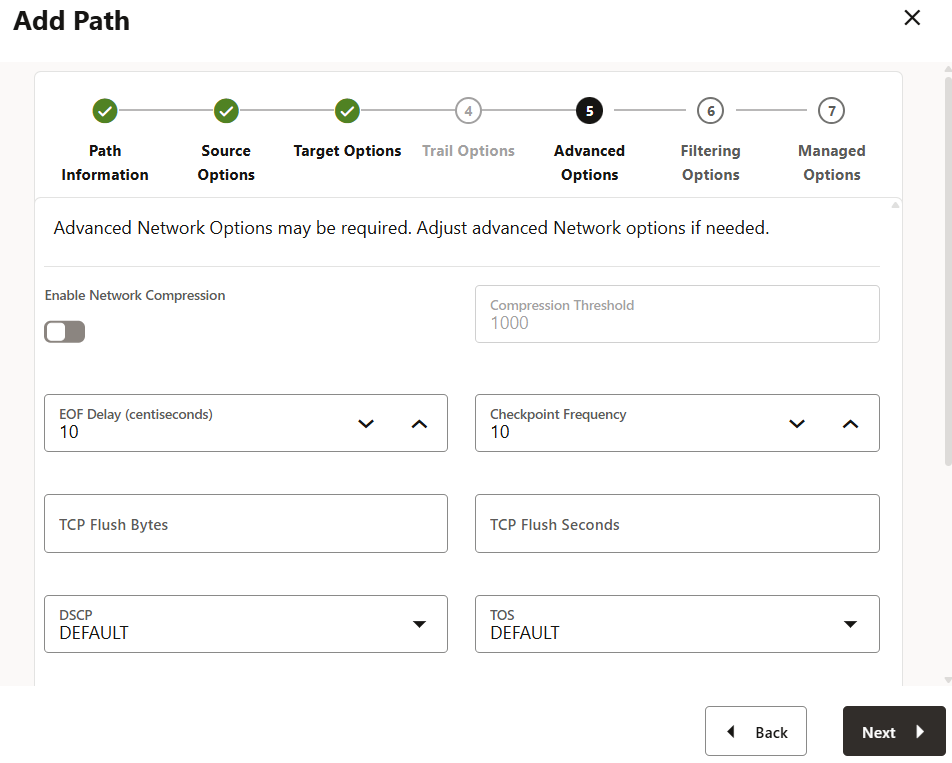
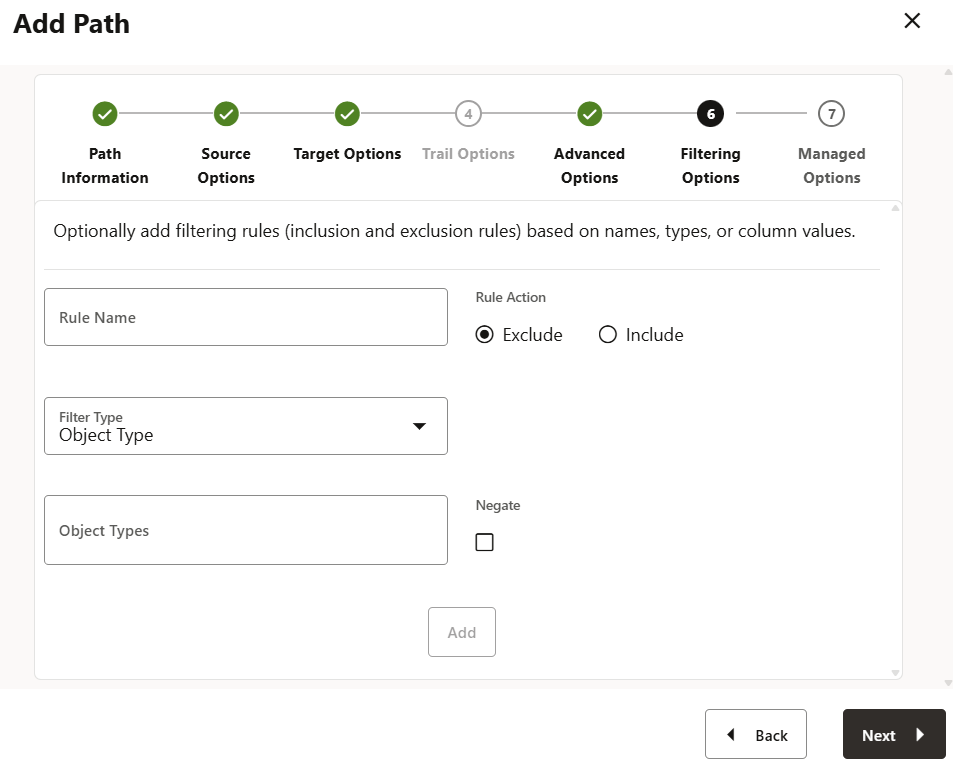
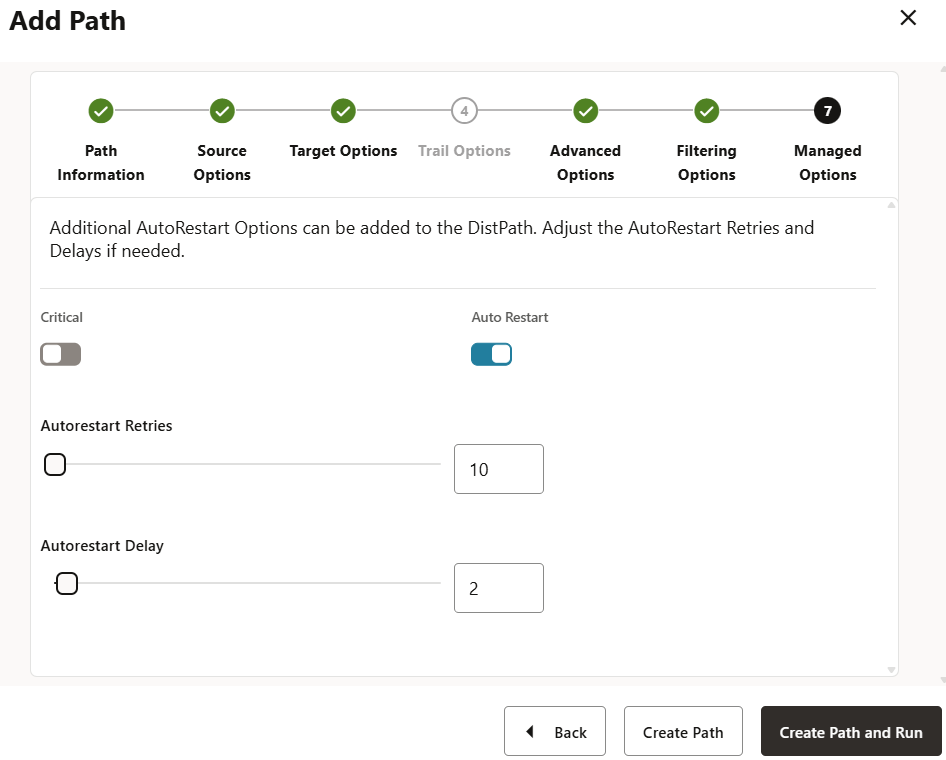
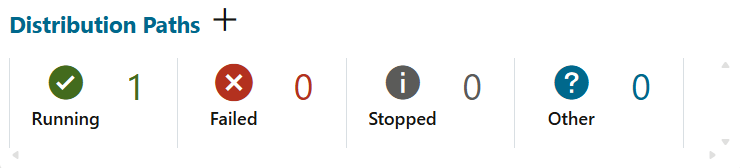
- Create Distribution Path:
- Path Name:
path01 - Source Trail:
EXT01/lt - Target:
192.168.56.102/9003/rt/ggtrg
- Path Name:
6-2. Operation Verification (Replication Test)
Actually update data on the source side and verify if it is reflected on the target.
Source Side (Source: PDBS)
SQL> select * from tbls;
      COL1 COL2
---------- ----------
         1 AAA

-- Insert Data
SQL> insert into tbls values (2,'BBB');
SQL> commit;

SQL> select * from tbls;
      COL1 COL2
---------- ----------
         1 AAA
         2 BBB
Target Side (Target: PDBT)
-- Confirm immediate reflection
SQL> select * from tblt;
      COL1 COL2
---------- ----------
         1 AAA
         2 BBB
If it is reflected, the construction of the replication environment using DB 26ai Free and GG 23ai is complete.
Troubleshooting
Here is a summary of common errors and solutions.
| Event | Cause and Check Point | Solution |
| OGG-08110 | Login Failed | Check for alias setting errors in tnsnames.ora or incorrect passwords in the Credential Store. |
| ORA-01031 | Insufficient Privileges | Check if grant ogg_capture / grant ogg_apply were correctly granted during user creation. |
| Connection Refused | Network | Check firewall settings or name resolution in /etc/hosts. Check connectivity of ports (default 7809, etc.). |
8. FAQ (Frequently Asked Questions)
Q1: I cannot find the ogg_capture / ogg_apply roles.
A1: These roles were introduced in Oracle Database 23ai or later. If you are using version 19c or earlier, please use the traditional procedure of granting GRANT DBA TO ... or individually granting GRANT SELECT ANY DICTIONARY ....
Q2: Can I handle multiple PDBs with a single Extract process?
A2: Yes, it is possible. In that case, you need to create a common user (such as c##ggadmin) in CDB$ROOT and have the Extract process log in to the DB with that user. Describe it in the parameter file like TABLE PDB1.schema.table;.
Q3: When should I set enable_goldengate_replication?
A3: Be sure to set it after creating the database and before using GoldenGate. Since it is a dynamic parameter, it takes effect immediately with alter system, but if you forget to set it, errors will occur when registering the Extract process.
Summary
The basic setup flow for the combination of Oracle Database 26ai Free and GoldenGate 23ai does not differ significantly from traditional versions. However, it has evolved to be simpler and more secure to manage, such as with role-based permissions (ogg_capture, etc.) and parameters (enable_goldengate_replication).
- 26ai Free is ideal as an easy verification environment.
- GG 23ai uses Microservices Architecture as standard.
- Use Role-Based permission management to simplify configuration.
[reference]
Oracle GoldenGate 23ai – Get Started
Note: This article explains the setup for Oracle Database 26ai Free (23.26.0) and GoldenGate 23ai. Paths and default settings may differ in the production version or other versions.
コメント