
When setting up Oracle EM13.5 on Oracle Linux 8, have you ever experienced the GUI installer freezing or failing due to unexpected errors? In this article, we will explain the “highest success rate” silent installation procedure using Oracle Database 19c as the repository, bypassing the instabilities of the GUI.
The key to a successful EM13.5 construction lies in “adjusting repository DB parameters” and performing a “silent installation via a response file.” In our verification, environment-dependent errors occurred during the GUI process, but the silent method succeeded on the first attempt. By reading this article, you will master the flow of reliably setting up EM13.5 from the command line and accessing the management console (HTTPS port 7803).

- Conclusion: Shortest Steps for EM13.5 Setup
- Background and Fundamentals
- Prerequisites and Environment Preparation
- Implementation: Preparing Repository DB and Installer
- Execution: Starting EM13.5 Installation
- Operation Check and Console Access
- Troubleshooting
- Operational and Security Considerations
- FAQ
- Summary
Conclusion: Shortest Steps for EM13.5 Setup
- Prepare Repository DB: Set and apply required initialization parameters for Oracle 19c (non-CDB).
- Create Installation Directories: Secure paths for Middleware and Agent.
- Extract Installer: Unzip the five ZIP files and prepare the
.binfile. - Create Response File: Define installation locations, passwords, and DB connection information.
- Execute Silent Installation: Run
./em13500_linux64.bin -silent. - Run Root Scripts: Execute
allroot.shas therootuser to complete.
Background and Fundamentals
Oracle Enterprise Manager (EM) 13c Release 5 is an integrated platform for monitoring and managing entire systems, including Oracle Databases. Release 13.5 features enhanced support for Oracle Linux 8 and improved hybrid cloud management capabilities.
Why Silent Installation? The GUI installer may freeze during installation or produce unknown errors during prerequisite checks due to X Window System configurations, Java versions, or OS library dependencies. In production environments, the “Response File format (Silent),” which is highly reproducible and easier for error isolation, is strongly recommended.
Prerequisites and Environment Preparation
Prepare the following resources and privileges before starting the construction.
- OS/DB Setup: Installation of Oracle Linux 8 and setup of the repository DB (Oracle Database 19c) should be completed beforehand following standard database construction procedures.
- Target OS: Oracle Linux 8 (x86_64)
- Repository DB: Oracle Database 19c (19.3.0.0.0 or higher)
- User:
oracleuser (oinstallgroup) - Directory Path Examples:
- Middleware:
/u01/app/middleware - Agent:
/u01/app/agent
- Middleware:
1. Creating Directories
First, create the locations where the EM components will be installed.
mkdir -p /u01/app/middleware
mkdir -p /u01/app/agent
Implementation: Preparing Repository DB and Installer
2. Setting Repository DB Parameters
To operate as an EM13.5 repository, specific parameter settings are required on the DB side. In particular, _allow_insert_with_update_check is a unique requirement for EM13c.
-- Connect as sysdba and execute
sqlplus / as sysdba

-- Setting mandatory parameters (some require writing to SPFILE)
ALTER SYSTEM SET "_allow_insert_with_update_check"=TRUE SCOPE=SPFILE;
ALTER SYSTEM SET parallel_max_servers=8 SCOPE=BOTH;
ALTER SYSTEM SET parallel_min_servers=0 SCOPE=BOTH;
ALTER SYSTEM SET processes=600 SCOPE=SPFILE;
ALTER SYSTEM SET session_cached_cursors=200 SCOPE=SPFILE;

-- Restart to apply changes
SHUTDOWN IMMEDIATE
STARTUP
exit
Note: Failure to set _allow_insert_with_update_check will result in an error during the prerequisite check during installation.
3. Extracting the Installer
Place the five ZIP files (V1007079-01.zip to V1007083-01.zip) downloaded from Oracle Software Delivery Cloud in the same directory and extract them.
mkdir em_dir
cd em_dir/
# Verify existence of files (V1007079-01.zip to V1007083-01.zip)
unzip -q V1007079-01.zip
unzip -q V1007080-01.zip
unzip -q V1007081-01.zip
unzip -q V1007082-01.zip
unzip -q V1007083-01.zip

# After extraction, the binary (.bin) and additional ZIPs are generated
ll
# Remove original ZIPs to free up space
rm -rf V10070*
4. Creating the Response File (em_install.rsp)
To skip the problematic GUI settings, define the configuration values in a file beforehand. Do not use the @ symbol in passwords. Note: The following values are samples. Ensure you change the hostname, paths, passwords, etc., according to your environment.
vi /tmp/em_install.rsp
Content Example:
RESPONSEFILE_VERSION=2.2.1.0.0
INVENTORY_LOCATION=/u01/app/oraInventory
INSTALL_UPDATES_SELECTION=skip
ORACLE_MIDDLEWARE_HOME_LOCATION=/u01/app/middleware
ORACLE_HOSTNAME=em13cr5
AGENT_BASE_DIR=/u01/app/agent
WLS_ADMIN_SERVER_USERNAME=weblogic
WLS_ADMIN_SERVER_PASSWORD=welcome1
WLS_ADMIN_SERVER_CONFIRM_PASSWORD=welcome1
NODE_MANAGER_PASSWORD=welcome1
NODE_MANAGER_CONFIRM_PASSWORD=welcome1
ORACLE_INSTANCE_HOME_LOCATION=/u01/app/gc_inst
CONFIGURE_ORACLE_SOFTWARE_LIBRARY=true
SOFTWARE_LIBRARY_LOCATION=/u01/app/oracle/swlib
DATABASE_HOSTNAME=em13cr5
LISTENER_PORT=1521
SERVICENAME_OR_SID=repdb
SYS_PASSWORD=oracle
SYSMAN_PASSWORD=welcome1
SYSMAN_CONFIRM_PASSWORD=welcome1
DEPLOYMENT_SIZE=MEDIUM
MANAGEMENT_TABLESPACE_LOCATION=/u01/app/oracle/oradata/REPDB/mgmt.dbf
CONFIGURATION_DATA_TABLESPACE_LOCATION=/u01/app/oracle/oradata/REPDB/mgmt_ecm_depot1.dbf
JVM_DIAGNOSTICS_TABLESPACE_LOCATION=/u01/app/oracle/oradata/REPDB/mgmt_deepdive.dbf
EMPREREQ_AUTO_CORRECTION=false
AGENT_REGISTRATION_PASSWORD=welcome1
AGENT_REGISTRATION_CONFIRM_PASSWORD=welcome1
PLUGIN_SELECTION={}
b_upgrade=false
EM_INSTALL_TYPE=NOSEED
CONFIGURATION_TYPE=ADVANCED
Execution: Starting EM13.5 Installation
5. Executing Silent Installation
Start the installer by specifying the prepared response file. This method allows for stable construction even on servers without a GUI environment.
./em13500_linux64.bin -silent -responseFile /tmp/em_install.rsp
Wait until “Successfully installed Enterprise Manager Cloud Control.” is displayed.
🖥️ Execution results using a real device
View execution results (click here)
[oracle@em13cr5 em_dir]$ ./em13500_linux64.bin -silent -responseFile /tmp/em_install.rsp
Launcher log file is /tmp/OraInstall2026-02-16_11-41-21AM/launcher2026-02-16_11-41-21AM.log.
Extracting the installer . . . . . . . . . . . . . . . . . . . . . . . . . . . . . . . . . . . . . . . . . . . . . . . . . . . . . . . . . . . . . . . . . . . . . . . . . . . . . . . . . . . . . . . . . . . . . . . . . . . . . . . . . . . . . . . . . . . . . . . . . . . . . . . . . . . . . . . . . . . . . . . . . . . . . . . . . . . . . . . . . . . . . . . . . . . . . . . . . . . . . . . . . . . . . . . . . . . . . . . . . . . . . . . . . . . . . . . . . . . . . . . . . . . . . . . . . . . . . . . . . . . . . . . . . . . . . . . . . . . . . . . . . . . . . . . . . . . . . . . . . . . . . . . . . . . . . . . . . . . . . . . . . . . . . . . . . . . . . . . . . . . . . . . . . . . . . . . . . . . . . . . . . . . . . . . . . . . . . . . . . . . . . . . . . . . . . . . . . . . . . . . . . . . . . . . . . . . . . . . . . . . . . . . . . . . . . . . . . . . . . . . . . . . . . . . . . . . . . . . . . . . . . . . . . . . . . . . . . . . . . . . . . . . . . . . . . . . . . . . . . . . . . . . . . . . . . . . . . . . . . . . . . . . . . . . . . . . . . . . . . . . . . . . . . . . . . . . . . . . . Done
Checking swap space: must be greater than 512 MB.   Actual 4051 MB    Passed
Checking if this platform requires a 64-bit JVM.   Actual 64    Passed (64-bit not required)
Preparing to launch the Oracle Universal Installer from /tmp/OraInstall2026-02-16_11-41-21AM
ScratchPathValue :/tmp/OraInstall2026-02-16_11-41-21AM
Feb 16, 2026 11:52:09 AM org.apache.sshd.common.io.DefaultIoServiceFactoryFactory getIoServiceProvider
INFO: No detected/configured IoServiceFactoryFactory using Nio2ServiceFactoryFactory
Session log file is /tmp/OraInstall2026-02-16_11-41-21AM/install2026-02-16_11-41-21AM.log
Installation in progress

Install successful
Linking in progress

Link successful
Setup in progress

Setup successful
Session log file is /tmp/OraInstall2026-02-16_11-41-21AM/install2026-02-16_11-41-21AM.log
Installation in progress

Install successful
Linking in progress

Link successful
Setup in progress

Setup successful
Session log file is /tmp/OraInstall2026-02-16_11-41-21AM/install2026-02-16_11-41-21AM.log

..................................................................................................
Installation in progress (Monday, February 16, 2026 12:10:21 PM EST)
                              98% Done.
Install successful

Linking in progress (Monday, February 16, 2026 12:10:23 PM EST)
Link successful

Setup in progress (Monday, February 16, 2026 12:10:24 PM EST)
Setup successful

Saving inventory (Monday, February 16, 2026 12:10:24 PM EST)
Saving inventory complete

End of install phases.(Monday, February 16, 2026 12:10:38 PM EST)
Session log file is /tmp/OraInstall2026-02-16_11-41-21AM/install2026-02-16_11-41-21AM.log

...............................................................  42% Done.
...............................................................  85% Done.
...................
Installation in progress (Monday, February 16, 2026 12:11:44 PM EST)
                                              98% Done.
Install successful

Linking in progress (Monday, February 16, 2026 12:11:46 PM EST)
Link successful

Setup in progress (Monday, February 16, 2026 12:11:46 PM EST)
Setup successful

Saving inventory (Monday, February 16, 2026 12:11:46 PM EST)
Saving inventory complete

End of install phases.(Monday, February 16, 2026 12:12:24 PM EST)
Session log file is /tmp/OraInstall2026-02-16_11-41-21AM/install2026-02-16_11-41-21AM.log

..................................................................................................
Installation in progress (Monday, February 16, 2026 12:12:55 PM EST)
                              98% Done.
Install successful

Linking in progress (Monday, February 16, 2026 12:12:57 PM EST)
Link successful

Setup in progress (Monday, February 16, 2026 12:12:57 PM EST)
Setup successful

Saving inventory (Monday, February 16, 2026 12:12:57 PM EST)
Saving inventory complete

End of install phases.(Monday, February 16, 2026 12:13:08 PM EST)
Session log file is /tmp/OraInstall2026-02-16_11-41-21AM/install2026-02-16_11-41-21AM.log

...............................................................  21% Done.
...............................................................  42% Done.
...............................................................  63% Done.
...............................................................  84% Done.
..........................................
Installation in progress (Monday, February 16, 2026 12:16:07 PM EST)
                       98% Done.
Install successful

Linking in progress (Monday, February 16, 2026 12:16:09 PM EST)
Link successful

Setup in progress (Monday, February 16, 2026 12:16:10 PM EST)
Setup successful

Saving inventory (Monday, February 16, 2026 12:16:10 PM EST)
Saving inventory complete

End of install phases.(Monday, February 16, 2026 12:16:24 PM EST)
Session log file is /tmp/OraInstall2026-02-16_11-41-21AM/install2026-02-16_11-41-21AM.log

...............................................................  48% Done.
...............................................................  96% Done.
..
Installation in progress (Monday, February 16, 2026 12:19:20 PM EST)
                                                               98% Done.
Install successful

Linking in progress (Monday, February 16, 2026 12:19:21 PM EST)
Link successful

Setup in progress (Monday, February 16, 2026 12:19:21 PM EST)
Setup successful

Saving inventory (Monday, February 16, 2026 12:19:21 PM EST)
Saving inventory complete

End of install phases.(Monday, February 16, 2026 12:19:34 PM EST)
Installing agent plugins if not upgrade
&Decline License Agreement/u01/app/middleware/sysman/install/plugins/oracle.sysman.emas/13.5.1.0.0/oracle.sysman.emas.agent.plugin-13.5.1.0.0.farb
Session log file is /tmp/OraInstall2026-02-16_11-41-21AM/install2026-02-16_11-41-21AM.log

..................................................................................................
Installation in progress (Monday, February 16, 2026 12:19:50 PM EST)
                              98% Done.
Install successful

Linking in progress (Monday, February 16, 2026 12:19:50 PM EST)
Link successful

Setup in progress (Monday, February 16, 2026 12:19:50 PM EST)
Setup successful

Saving inventory (Monday, February 16, 2026 12:19:50 PM EST)
Saving inventory complete

End of install phases.(Monday, February 16, 2026 12:20:02 PM EST)
&Decline License Agreement/u01/app/middleware/sysman/install/plugins/oracle.sysman.emrep/13.5.0.0.0/oracle.sysman.emrep.agent.plugin-13.5.0.0.0.farb
Session log file is /tmp/OraInstall2026-02-16_11-41-21AM/install2026-02-16_11-41-21AM.log

.....................................................................................
Installation in progress (Monday, February 16, 2026 12:20:09 PM EST)
                                           85% Done.
Install successful

Linking in progress (Monday, February 16, 2026 12:20:10 PM EST)
Link successful

Setup in progress (Monday, February 16, 2026 12:20:10 PM EST)
Setup successful

Saving inventory (Monday, February 16, 2026 12:20:10 PM EST)
Saving inventory complete

End of install phases.(Monday, February 16, 2026 12:20:23 PM EST)
&Decline License Agreement/u01/app/middleware/sysman/install/plugins/oracle.sysman.beacon/13.5.0.0.0/oracle.sysman.beacon.agent.plugin-13.5.0.0.0.farb
Session log file is /tmp/OraInstall2026-02-16_11-41-21AM/install2026-02-16_11-41-21AM.log

............................................................................................
Installation in progress (Monday, February 16, 2026 12:20:29 PM EST)
                                    92% Done.
Install successful

Linking in progress (Monday, February 16, 2026 12:20:29 PM EST)
Link successful

Setup in progress (Monday, February 16, 2026 12:20:29 PM EST)
Setup successful

Saving inventory (Monday, February 16, 2026 12:20:29 PM EST)
Saving inventory complete

End of install phases.(Monday, February 16, 2026 12:20:43 PM EST)
&Decline License Agreement/u01/app/middleware/sysman/install/plugins/oracle.sysman.oh/13.5.0.0.0/oracle.sysman.oh.agent.plugin-13.5.0.0.0.farb
Session log file is /tmp/OraInstall2026-02-16_11-41-21AM/install2026-02-16_11-41-21AM.log

.................................................................................................
Installation in progress (Monday, February 16, 2026 12:20:48 PM EST)
                               97% Done.
Install successful

Linking in progress (Monday, February 16, 2026 12:20:49 PM EST)
Link successful

Setup in progress (Monday, February 16, 2026 12:20:49 PM EST)
Setup successful

Saving inventory (Monday, February 16, 2026 12:20:49 PM EST)
Saving inventory complete

End of install phases.(Monday, February 16, 2026 12:21:02 PM EST)
&Decline License Agreement/u01/app/middleware/sysman/install/plugins/oracle.sysman.csa/13.5.0.0.0/oracle.sysman.csa.agent.plugin-13.5.0.0.0.farb
Session log file is /tmp/OraInstall2026-02-16_11-41-21AM/install2026-02-16_11-41-21AM.log

........................................................................
Installation in progress (Monday, February 16, 2026 12:21:08 PM EST)
                                                        72% Done.
Install successful

Linking in progress (Monday, February 16, 2026 12:21:09 PM EST)
Link successful

Setup in progress (Monday, February 16, 2026 12:21:09 PM EST)
Setup successful

Saving inventory (Monday, February 16, 2026 12:21:09 PM EST)
Saving inventory complete

End of install phases.(Monday, February 16, 2026 12:21:22 PM EST)
Checking the current seesion Index -10
&Decline License Agreement/u01/app/middleware/sysman/install/plugins/oracle.sysman.csa/13.5.0.0.0/oracle.sysman.csa.discovery.plugin-13.5.0.0.0.farb
Session log file is /tmp/OraInstall2026-02-16_11-41-21AM/install2026-02-16_11-41-21AM.log

.................................................................................................
Installation in progress (Monday, February 16, 2026 12:21:28 PM EST)
                               96% Done.
Install successful

Linking in progress (Monday, February 16, 2026 12:21:28 PM EST)
Link successful

Setup in progress (Monday, February 16, 2026 12:21:28 PM EST)
Setup successful

Saving inventory (Monday, February 16, 2026 12:21:28 PM EST)
Saving inventory complete

End of install phases.(Monday, February 16, 2026 12:21:41 PM EST)
&Decline License Agreement/u01/app/middleware/sysman/install/plugins/oracle.sysman.oh/13.5.0.0.0/oracle.sysman.oh.discovery.plugin-13.5.0.0.0.farb
Session log file is /tmp/OraInstall2026-02-16_11-41-21AM/install2026-02-16_11-41-21AM.log

........................................................................
Installation in progress (Monday, February 16, 2026 12:21:48 PM EST)
                                                        72% Done.
Install successful

Linking in progress (Monday, February 16, 2026 12:21:48 PM EST)
Link successful

Setup in progress (Monday, February 16, 2026 12:21:48 PM EST)
Setup successful

Saving inventory (Monday, February 16, 2026 12:21:48 PM EST)
Saving inventory complete

End of install phases.(Monday, February 16, 2026 12:22:02 PM EST)
&Decline License Agreement/u01/app/middleware/sysman/install/plugins/oracle.sysman.db/13.5.1.0.0/oracle.sysman.db.discovery.plugin-13.5.1.0.0.farb
Session log file is /tmp/OraInstall2026-02-16_11-41-21AM/install2026-02-16_11-41-21AM.log

...........................................................................................
Installation in progress (Monday, February 16, 2026 12:22:08 PM EST)
                                     91% Done.
Install successful

Linking in progress (Monday, February 16, 2026 12:22:08 PM EST)
Link successful

Setup in progress (Monday, February 16, 2026 12:22:08 PM EST)
Setup successful

Saving inventory (Monday, February 16, 2026 12:22:08 PM EST)
Saving inventory complete

End of install phases.(Monday, February 16, 2026 12:22:23 PM EST)
&Decline License Agreement/u01/app/middleware/sysman/install/plugins/oracle.sysman.xa/13.5.1.0.0/oracle.sysman.xa.discovery.plugin-13.5.1.0.0.farb
Session log file is /tmp/OraInstall2026-02-16_11-41-21AM/install2026-02-16_11-41-21AM.log

..............................................................................
Installation in progress (Monday, February 16, 2026 12:22:29 PM EST)
                                                  78% Done.
Install successful

Linking in progress (Monday, February 16, 2026 12:22:29 PM EST)
Link successful

Setup in progress (Monday, February 16, 2026 12:22:29 PM EST)
Setup successful

Saving inventory (Monday, February 16, 2026 12:22:29 PM EST)
Saving inventory complete

End of install phases.(Monday, February 16, 2026 12:22:42 PM EST)
&Decline License Agreement/u01/app/middleware/sysman/install/plugins/oracle.sysman.emas/13.5.1.0.0/oracle.sysman.emas.discovery.plugin-13.5.1.0.0.farb
Session log file is /tmp/OraInstall2026-02-16_11-41-21AM/install2026-02-16_11-41-21AM.log

..................................................................................................
Installation in progress (Monday, February 16, 2026 12:22:50 PM EST)
                              98% Done.
Install successful

Linking in progress (Monday, February 16, 2026 12:22:50 PM EST)
Link successful

Setup in progress (Monday, February 16, 2026 12:22:50 PM EST)
Setup successful

Saving inventory (Monday, February 16, 2026 12:22:50 PM EST)
Saving inventory complete

End of install phases.(Monday, February 16, 2026 12:23:04 PM EST)
&Decline License Agreement/u01/app/middleware/sysman/install/plugins/oracle.sysman.si/13.5.1.0.0/oracle.sysman.si.discovery.plugin-13.5.1.0.0.farb
Session log file is /tmp/OraInstall2026-02-16_11-41-21AM/install2026-02-16_11-41-21AM.log

.............................................................................
Installation in progress (Monday, February 16, 2026 12:23:10 PM EST)
                                                   77% Done.
Install successful

Linking in progress (Monday, February 16, 2026 12:23:10 PM EST)
Link successful

Setup in progress (Monday, February 16, 2026 12:23:10 PM EST)
Setup successful

Saving inventory (Monday, February 16, 2026 12:23:10 PM EST)
Saving inventory complete

End of install phases.(Monday, February 16, 2026 12:23:23 PM EST)
.13NGCHEKAGGREGATE  : oracle.sysman.top.agent
13NGCHEKAGGREGATE  : oracle.sysman.top.oms
13NGCHEKAGGREGATE  : OuiConfigVariables
13NGCHEKAGGREGATE  : encap_oms
13NGCHEKAGGREGATE  : OuiConfigVariables
2026-02-16_12-38-52PM: Configuration Assistant "Plugins Prerequisites Check" is in progress.

2026-02-16_12-39-22PM: Configuration Assistant "Plugins Prerequisites Check" has Succeeded.

2026-02-16_12-39-22PM: Configuration Assistant "Repository Configuration" is in progress.

Calling the EMSCHEMA MANAGER: CREATE

before starting RCU
Repository Creation Utility - Checking Prerequisites
Checking Global Prerequisites
Repository Creation Utility - Checking Prerequisites
Checking Component Prerequisites
Repository Creation Utility - Creating Tablespaces
Validating and Creating Tablespaces
Create tablespaces in the repository database
Repository Creation Utility - Create
Repository Create in progress.
Executing pre create operations
Creating EM Repository Common(EM_REPOS_COMMON)
Creating EM Repository Init Configuration(EM_REPOS_INIT)

 Check the Repository Configuration Assistant logs at: /u01/app/middleware/sysman/log/schemamanager

INVOKING with sslConfig
TNS Test Inserted Successfully
Successfully Added TNS Query Descriptors

  ********   ORACLE_HOME is /u01/app/middleware
test properties path: /u01/app/middleware/sysman/admin/emdrep/prop/imap.properties
CreateTestType:createCompleteTest: BEGIN
CreateTestType:createTestMetadataObject: BEGIN
CreateTestType:createTestMetadataObject: END
CreateTestType:createPropertyGroups: BEGIN
CreateTestType:createPropertyGroups: END
CreateTestType:createStrayProperties: BEGIN
CreateTestType:createStrayProperties: END
CreateTestType:createDefaultPromotions: BEGIN
CreateTestType:createDefaultPromotions: END
CreateTestType:createDefaultThresholds: BEGIN
CreateTestType:createDefaultThresholds: END
CreateTestType:createMetrics4TestType: BEGIN
CreateTestType:createMetrics4TestType: END
PropertyName :imap_host
PropertyName :imap_port
PropertyName :imap_user_name
PropertyName :imap_password
PropertyName :numretries
PropertyName :retryinterval
CreateTestType:createQueryDescriptor: BEGIN
CreateTestType:createQueryDescriptor: END
Enabled test for: IMAP , generic_service , 1.0
Enabled test for: IMAP , aggregate_service , 1.0
CreateTestType:createCompleteTest: END
  ********   ORACLE_HOME is /u01/app/middleware
INVOKING with sslConfig
INVOKING with sslConfig
Creating EM Repository Creation Configuration(EM_REPOS_CONFIG)
Executing post create operations

Repository Creation Utility: Create - Completion Summary

Database details:
-----------------------------
Connect Descriptor                           : (DESCRIPTION=(ADDRESS_LIST=(ADDRESS=(PROTOCOL=TCP)(HOST=em13cr5)(PORT=1521)))(CONNECT_DATA=(SID=repdb)))
Connected As                                 : SYS
RCU Logfile                                  : No log file specified

Component schemas created:
-----------------------------
Component                                    Status         Logfile

EM Repository Creation Configuration         Success        /u01/app/middleware/sysman/log/schemamanager/m_021626_1239_PM/m_021626_1239_PM.CREATE/RCU2026-02-16_12-39_871732497/logs/em_repos_config.log
EM Repository Init Configuration             Success        /u01/app/middleware/sysman/log/schemamanager/m_021626_1239_PM/m_021626_1239_PM.CREATE/RCU2026-02-16_12-39_871732497/logs/em_repos_init.log
EM Repository Common                         Success        /u01/app/middleware/sysman/log/schemamanager/m_021626_1239_PM/m_021626_1239_PM.CREATE/RCU2026-02-16_12-39_871732497/logs/em_repos_common.log

Repository Creation Utility - Create : Operation Completed
after starting RCU
The creation of Repository is completed now running the MOS

-------------------This action is not required ------------------
The correct order of execution is :
-showPrereqs , -runPrerequisites , -showCorrectiveActions , -runCorrectiveActions , -runPrerequisites(optional at this point), -showPostCorrectiveActions , -runPostCorrectiveActions
2026-02-16_02-33-21PM: Configuration Assistant "Repository Configuration" has Succeeded.

2026-02-16_02-33-21PM: Configuration Assistant "MDS Schema Configuration" is in progress.

jdbcURL:[jdbc:oracle:thin:@(DESCRIPTION=(ADDRESS_LIST=(ADDRESS=(PROTOCOL=TCP)(HOST=em13cr5)(PORT=1521)))(CONNECT_DATA=(SID=repdb)))]
ssl info is null
-silent -createRepository -compInfoXMLLocation /u01/app/middleware/sysman/emdrep/config/mds/ComponentInfo.xml -storageXMLLocation /u01/app/middleware/sysman/emdrep/config/mds/Storage.xml -connectString (DESCRIPTION=(ADDRESS_LIST=(ADDRESS=(PROTOCOL=TCP)(HOST=em13cr5)(PORT=1521)))(CONNECT_DATA=(SID=repdb))) -dbUser SYS -dbRole sysdba -schemaPrefix SYSMAN -component MDS
Repository Creation Utility - Checking Prerequisites
Checking Global Prerequisites
Repository Creation Utility - Checking Prerequisites
Checking Component Prerequisites
Repository Creation Utility - Creating Tablespaces
Validating and Creating Tablespaces
Create tablespaces in the repository database
Repository Creation Utility - Create
Repository Create in progress.
        Percent Complete: 30
Executing pre create operations
        Percent Complete: 65
        Percent Complete: 65
        Percent Complete: 70
        Percent Complete: 70
        Percent Complete: 75
        Percent Complete: 75
Creating Metadata Services(MDS)
        Percent Complete: 95
Executing post create operations
        Percent Complete: 100

Repository Creation Utility: Create - Completion Summary

Database details:
-----------------------------
Connect Descriptor                           : (DESCRIPTION=(ADDRESS_LIST=(ADDRESS=(PROTOCOL=TCP)(HOST=em13cr5)(PORT=1521)))(CONNECT_DATA=(SID=repdb)))
Connected As                                 : SYS
Prefix for (prefixable) Schema Owners        : SYSMAN
RCU Logfile                                  : No log file specified

Component schemas created:
-----------------------------
Component                                    Status         Logfile

Metadata Services                            Success        /u01/app/middleware/sysman/log/schemamanager/m_021626_1239_PM/m_021626_1239_PM.CREATE/RCU2026-02-16_14-33_1685768805/logs/mds.log

Repository Creation Utility - Create : Operation Completed
jdbcURL:[jdbc:oracle:thin:@(DESCRIPTION=(ADDRESS_LIST=(ADDRESS=(PROTOCOL=TCP)(HOST=em13cr5)(PORT=1521)))(CONNECT_DATA=(SID=repdb)))]
Repository Creation Utility - Checking Prerequisites
Checking Global Prerequisites
Repository Creation Utility - Checking Prerequisites
Checking Component Prerequisites
Repository Creation Utility - Creating Tablespaces
Validating and Creating Tablespaces
Create tablespaces in the repository database
Repository Creation Utility - Create
Repository Create in progress.
Executing pre create operations
        Percent Complete: 50
        Percent Complete: 55
        Percent Complete: 65
        Percent Complete: 65
        Percent Complete: 80
        Percent Complete: 90
        Percent Complete: 95
        Percent Complete: 95
Creating Oracle Platform Security Services(OPSS)
        Percent Complete: 97
Executing post create operations
        Percent Complete: 100

Repository Creation Utility: Create - Completion Summary

Database details:
-----------------------------
Connect Descriptor                           : (DESCRIPTION=(ADDRESS_LIST=(ADDRESS=(PROTOCOL=TCP)(HOST=em13cr5)(PORT=1521)))(CONNECT_DATA=(SID=repdb)))
Connected As                                 : SYS
Prefix for (prefixable) Schema Owners        : SYSMAN122140
RCU Logfile                                  : No log file specified

Component schemas created:
-----------------------------
Component                                    Status         Logfile

Oracle Platform Security Services            Success        /u01/app/middleware/sysman/log/schemamanager/m_021626_1239_PM/m_021626_1239_PM.CREATE/RCU2026-02-16_14-33_1685768805/logs/opss.log

Repository Creation Utility - Create : Operation Completed
Repository Creation Utility - Checking Prerequisites
Checking Global Prerequisites
Repository Creation Utility - Checking Prerequisites
Checking Component Prerequisites
Repository Creation Utility - Creating Tablespaces
Validating and Creating Tablespaces
Create tablespaces in the repository database
Repository Creation Utility - Create
Repository Create in progress.
Executing pre create operations
        Percent Complete: 50
        Percent Complete: 50
        Percent Complete: 55
        Percent Complete: 60
        Percent Complete: 65
        Percent Complete: 65
        Percent Complete: 70
        Percent Complete: 70
Creating Common Infrastructure Services(STB)
        Percent Complete: 85
Executing post create operations
        Percent Complete: 100

Repository Creation Utility: Create - Completion Summary

Database details:
-----------------------------
Connect Descriptor                           : (DESCRIPTION=(ADDRESS_LIST=(ADDRESS=(PROTOCOL=TCP)(HOST=em13cr5)(PORT=1521)))(CONNECT_DATA=(SID=repdb)))
Connected As                                 : SYS
Prefix for (prefixable) Schema Owners        : SYSMAN
RCU Logfile                                  : No log file specified

Component schemas created:
-----------------------------
Component                                    Status         Logfile

Common Infrastructure Services               Success        /u01/app/middleware/sysman/log/schemamanager/m_021626_1239_PM/m_021626_1239_PM.CREATE/RCU2026-02-16_14-33_1685768805/logs/stb.log

Repository Creation Utility - Create : Operation Completed
2026-02-16_02-33-45PM: Configuration Assistant "MDS Schema Configuration" has Succeeded.

2026-02-16_02-33-45PM: Configuration Assistant "OMS Configuration" is in progress.


 Executing the OMSCA command...

 Check the log files of the OMS Configuration Assistant at: /u01/app/middleware/cfgtoollogs/omsca


 OMS Configuration Assistant completed successfully.


2026-02-16_03-06-08PM: Configuration Assistant "OMS Configuration" has Succeeded.

2026-02-16_03-06-08PM: Configuration Assistant "Plugins Deployment and Configuration" is in progress.

2026-02-16_03-27-22PM: Configuration Assistant "Plugins Deployment and Configuration" has Succeeded.

2026-02-16_03-27-24PM: Configuration Assistant "Start Oracle Management Service" is in progress.

Starting OMS ...

Executing the command: /u01/app/middleware/bin/emctl start oms

Starting of OMS is successful.
Starting export oms config...
Executing command: /u01/app/middleware/bin/emctl exportconfig oms -dir  /u01/app/gc_inst/em/EMGC_OMS1/sysman/backup

Export config of OMS is successful.

2026-02-16_03-47-55PM: Configuration Assistant "Start Oracle Management Service" has Succeeded.

2026-02-16_03-47-56PM: Configuration Assistant "Agent Configuration Assistant" is in progress.

AgentConfiguration:agent configuration has been started

The AgentFreshInstaller is starting now
Oraclehome : ../u01/app/agent/agent_13.5.0.0.0
InstanceHome : /u01/app/agent/agent_inst
Agent Base Directory : /u01/app/agent
The oraclehome /u01/app/agent/agent_13.5.0.0.0
startAgent is:true
seci is :true
startAgent is:true
seci is :true
Feb 16, 2026 3:48:02 PM oracle.sysman.agent.installer.AgentInstaller parseResponseFile
INFO: /u01/app/agent/agent_13.5.0.0.0
Feb 16, 2026 3:48:02 PM oracle.sysman.agent.installer.AgentInstaller parseResponseFile
INFO: /u01/app/agent/agent_inst
Feb 16, 2026 3:48:02 PM oracle.sysman.agent.installer.AgentInstaller parseResponseFile
INFO: /u01/app/agent
Feb 16, 2026 3:48:02 PM oracle.sysman.agent.installer.AgentInstaller parseResponseFile
INFO: RESPONSE_FILE=/u01/app/agent/agentInstall.rsp
Feb 16, 2026 3:48:02 PM oracle.sysman.agent.installer.AgentInstaller parseResponseFile
INFO: ORACLE_HOME=/u01/app/agent/agent_13.5.0.0.0
Feb 16, 2026 3:48:02 PM oracle.sysman.agent.installer.AgentInstaller parseResponseFile
INFO: AGENT_PORT=
Feb 16, 2026 3:48:02 PM oracle.sysman.agent.installer.AgentInstaller parseResponseFile
INFO: ORACLE_HOSTNAME=em13cr5
Feb 16, 2026 3:48:02 PM oracle.sysman.agent.installer.AgentInstaller parseResponseFile
INFO: b_doDiscovery=true
Feb 16, 2026 3:48:02 PM oracle.sysman.agent.installer.AgentInstaller parseResponseFile
INFO: AGENT_BASE_DIR=/u01/app/agent
Feb 16, 2026 3:48:02 PM oracle.sysman.agent.installer.AgentInstaller parseResponseFile
INFO: AGENT_INSTANCE_HOME=/u01/app/agent/agent_inst
Feb 16, 2026 3:48:02 PM oracle.sysman.agent.installer.AgentInstaller parseResponseFile
INFO: s_hostname=em13cr5
Feb 16, 2026 3:48:02 PM oracle.sysman.agent.installer.AgentInstaller parseRelog loction is setlog
sponseFile
INFO: OMS_HOST=em13cr5
Feb 16, 2026 3:48:02 PM oracle.sysman.agent.installer.AgentInstaller parseResponseFile
INFO: START_AGENT=true
Feb 16, 2026 3:48:02 PM orCreating log directoyr :/u01/app/agent/agent_13.5.0.0.0/cfgtoollogs/agentDeploy
acle.sysman.agent.installer.AgentInstaller parseResponseFile
INFO: b_secureAgent=true
Feb 16, 2026 3:48:02 PM oracle.sysman.agent.installer.AgentInstaller parseResponseFile
INFO: b_chainedInstall=true
Feb 16, 2026 3:48:02 PM oracle.sysman.agent.installer.AgentInstaller parseResponseFile
INFO: b_forceConfigure=false
Feb 16, 2026 3:48:02 PM oracle.sysman.agent.installer.AgentInstaller parseResponseFile
INFO: EM_UPLOAD_PORT=4903
Feb 16, 2026 3:48:02 PM oracle.sysman.agent.installer.AgentInstaller parseResponseFile
INFO: b_forceAgentDefaultPort=false
Feb 16, 2026 3:48:02 PM oracle.sysman.agent.installer.AgentInstaller parseResponseFile
INFO: s_staticPorts=
Feb 16, 2026 3:48:02 PM oracle.sysman.agent.installer.AgentInstaller parseResponseFile
INFO: PROPERTIES_FILE=
Feb 16, 2026 3:48:02 PM oracle.sysman.agent.installer.AgentInstaller parseResponseFile
INFO: b_skipValidation=false
Feb 16, 2026 3:48:02 PM oracle.sysman.agent.installer.AgentInstaller parseResponseFile
INFO: ORACLE_HOME=/u01/app/agent/agent_13.5.0.0.0
Feb 16, 2026 3:48:02 PM oracle.sysman.agent.installer.AgentInstaller parseResponseFile
INFO: AGENT_PORT=
Feb 16, 2026 3:48:02 PM oracle.sysman.agent.installer.AgentInstaller parseResponseFile
INFO: ORACLE_HOSTNAME=em13cr5
Feb 16, 2026 3:48:02 PM oracle.sysman.agent.installer.AgentInstaller parseResponseFile
INFO: b_doDiscovery=true
Feb 16, 2026 3:48:02 PM oracle.sysman.agent.installer.AgentInstaller parseResponseFile
INFO: AGENT_BASE_DIR=/u01/app/agent
Feb 16, 2026 3:48:02 PM oracle.sysman.agent.installer.AgentInstaller parseResponseFile
INFO: AGENT_INSTANCE_HOME=/u01/app/agent/agent_inst
Feb 16, 2026 3:48:02 PM oracle.sysman.agent.installer.AgentInstaller parseResponseFile
INFO: s_hostname=em13cr5
Feb 16, 2026 3:48:02 PM oracle.sysman.agent.installer.AgentInstaller parseResponseFile
INFO: OMS_HOST=em13cr5
Feb 16, 2026 3:48:02 PM oracle.sysman.agent.installer.AgentInstaller parseResponseFile
INFO: START_AGENT=true
Feb 16, 2026 3:48:02 PM oracle.sysman.agent.installer.AgentInstaller parseResponseFile
INFO: b_secureAgent=true
Feb 16, 2026 3:48:02 PM oracle.sysman.agent.installer.AgentInstaller parseResponseFile
INFO: b_chainedInstall=true
Feb 16, 2026 3:48:02 PM oracle.sysman.agent.installer.AgentInstaller parseResponseFile
INFO: b_forceConfigure=false
Feb 16, 2026 3:48:02 PM oracle.sysman.agent.installer.AgentInstaller parseResponseFile
INFO: EM_UPLOAD_PORT=4903
Feb 16, 2026 3:48:02 PM oracle.sysman.agent.installer.AgentInstaller parseResponseFile
INFO: b_forceAgentDefaultPort=false
Feb 16, 2026 3:48:02 PM oracle.sysman.agent.installer.AgentInstaller parseResponseFile
INFO: s_staticPorts=
Feb 16, 2026 3:48:02 PM oracle.sysman.agent.installer.AgentInstaller parseResponseFile
INFO: PROPERTIES_FILE=
Feb 16, 2026 3:48:02 PM oracle.sysman.agent.installer.AgentInstaller parseResponseFile
INFO: b_skipValidation=false
Writing the following contents into /u01/app/agent/agent_13.5.0.0.0/install/oragchomelist
/u01/app/agent/agent_13.5.0.0.0:/u01/app/agent/agent_inst
Both /etc/oragchomelist and /var/opt/oracle/oragchomelist does not exist.
Agent Home is : {0}
The value of chainInstall : true forceConfigure : false skipValidation : false
Validated the oms host and port :- em13cr5----4903
Logs Location is : {0}
Getting Inet Addresses for host em13cr5
** Agent Port Check completed successfully.**
Validated the agent port :- ----3872
Executing command: {0}
shared agent value is :false

Setting system property CUSTOM_INVENTORY to {0}
chain install is :true

Cloning of agent home completed successfully
Agent Configuration completed successfully
The following configuration scripts need to be executed as the "root" user. Root script to run : /u01/app/agent/agent_13.5.0.0.0/root.sh
AgentConfiguration:agent configuration finished with status = true

2026-02-16_03-54-27PM: Configuration Assistant "Agent Configuration Assistant" has Succeeded.

*** The Installation was Successful. ***


This information is also available at:

        /u01/app/middleware/install/setupinfo.txt

See the following for information pertaining to your Enterprise Manager installation:


Use the following URL to access:

        1. Enterprise Manager Cloud Control URL: https://em13cr5:7803/em
        2. Admin Server URL: https://em13cr5:7102/console

The following details need to be provided while installing an additional OMS:

        1. Admin Server Host Name: em13cr5
        2. Admin Server Port: 7102

You can find the details on ports used by this deployment at : /u01/app/middleware/install/portlist.ini


 NOTE:
 An encryption key has been generated to encrypt sensitive data in the Management Repository. If this key is lost, all encrypted data in the Repository becomes unusable.

 A backup of the OMS configuration is available in /u01/app/gc_inst/em/EMGC_OMS1/sysman/backup on host em13cr5. See Cloud Control Administrators Guide for details on how to back up and recover an OMS.

 NOTE: This backup is valid only for the initial OMS configuration. For example, it will not reflect plug-ins installed later, topology changes like the addition of a load balancer, or changes to other properties made using emctl or emcli. Backups should be created on a regular basis to ensure they capture the current OMS configuration. Use the following command to backup the OMS configuration:
/u01/app/middleware/bin/emctl exportconfig oms -dir

Prompt for the allroot.sh

Warning: You must run the following configuration scripts as the "root" user.
  /u01/app/middleware/allroot.sh
To execute the configuration scripts:
 1. Open a new  terminal window.
 2. Login in as "root".
 3. Run the scripts.

Successfully installed Enterprise Manager Cloud Control.
Logs successfully copied to /u01/app/oraInventory/logs.
[oracle@em13cr5 em_dir]$
6. Running Configuration Scripts (root)
After the installation is complete, switch to the root user and execute the configuration scripts.
su -
# Run allroot.sh (internally calls middleware/root.sh and agent/root.sh)
/u01/app/middleware/allroot.sh
Operation Check and Console Access
Check the status of the OMS (Oracle Management Server) and the Agent.
# Check OMS status
/u01/app/middleware/bin/emctl status oms -details

# Check Agent status
/u01/app/agent/agent_13.5.0.0.0/bin/emctl status agent
[oracle@em13cr5 ~]$ /u01/app/middleware/bin/emctl status oms -details
Oracle Enterprise Manager Cloud Control 13c Release 5
Copyright (c) 1996, 2021 Oracle Corporation.  All rights reserved.
Enter Enterprise Manager Root (SYSMAN) Password :
Console Server Host        : em13cr5
HTTP Console Port          : 7788
HTTPS Console Port         : 7803
HTTP Upload Port           : 4889
HTTPS Upload Port          : 4903
EM Instance Home           : /u01/app/gc_inst/em/EMGC_OMS1
OMS Log Directory Location : /u01/app/gc_inst/em/EMGC_OMS1/sysman/log
OMS is not configured with SLB or virtual hostname
Agent Upload is locked.
OMS Console is locked.
Active CA ID: 1
Console URL: https://em13cr5:7803/em
Upload URL: https://em13cr5:4903/empbs/upload

WLS Domain Information
Domain Name            : GCDomain
Admin Server Host      : em13cr5
Admin Server HTTPS Port: 7102
Admin Server is RUNNING

Oracle Management Server Information
Managed Server Instance Name: EMGC_OMS1
Oracle Management Server Instance Host: em13cr5
WebTier is Up
Oracle Management Server is Up
JVMD Engine is Up
[oracle@em13cr5 ~]$ /u01/app/agent/agent_13.5.0.0.0/bin/emctl status agent
Oracle Enterprise Manager Cloud Control 13c Release 5
Copyright (c) 1996, 2021 Oracle Corporation.  All rights reserved.
---------------------------------------------------------------
Agent Version          : 13.5.0.0.0
OMS Version            : 13.5.0.0.0
Protocol Version       : 12.1.0.1.0
Agent Home             : /u01/app/agent/agent_inst
Agent Log Directory    : /u01/app/agent/agent_inst/sysman/log
Agent Binaries         : /u01/app/agent/agent_13.5.0.0.0
Core JAR Location      : /u01/app/agent/agent_13.5.0.0.0/jlib
Agent Process ID       : 114128
Parent Process ID      : 114021
Agent URL              : https://em13cr5:3872/emd/main/
Local Agent URL in NAT : https://em13cr5:3872/emd/main/
Repository URL         : https://em13cr5:4903/empbs/upload
Started at             : 2026-02-16 15:53:14
Started by user        : oracle
Operating System       : Linux version 5.15.0-206.153.7.1.el8uek.x86_64 (amd64)
Number of Targets      : 35
Last Reload            : (none)
Last successful upload                       : 2026-02-16 18:45:59
Last attempted upload                        : 2026-02-16 18:45:59
Total Megabytes of XML files uploaded so far : 2.06
Number of XML files pending upload           : 0
Size of XML files pending upload(MB)         : 0
Available disk space on upload filesystem    : 41.74%
Collection Status                            : Collections enabled
Heartbeat Status                             : Ok
Last attempted heartbeat to OMS              : 2026-02-16 18:49:10
Last successful heartbeat to OMS             : 2026-02-16 18:49:10
Next scheduled heartbeat to OMS              : 2026-02-16 18:50:10

---------------------------------------------------------------
Agent is Running and Ready
[oracle@em13cr5 ~]$
Accessing the Console
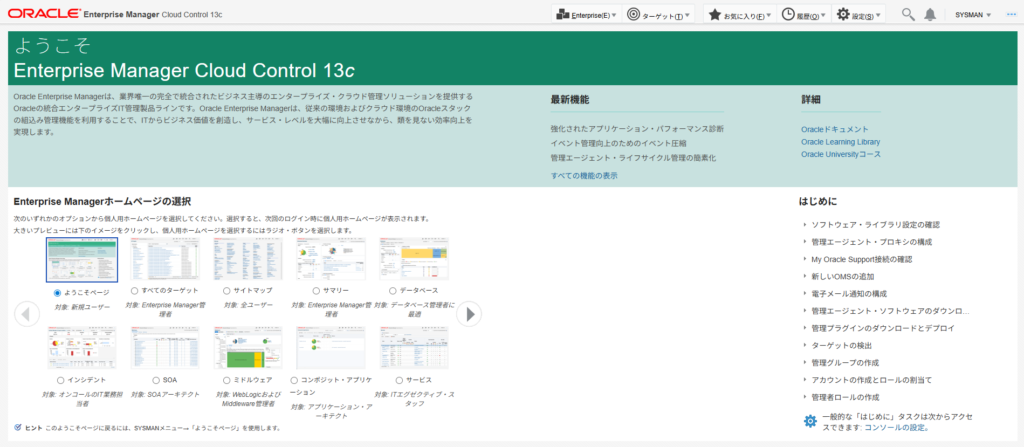
After installation, access the management console (Enterprise Manager Cloud Control) from a browser and confirm that you can log in normally.
- URL:
https://<Hostname_or_IP>:7803/em - Login User:
SYSMAN - Password: The one specified in the response file (e.g.,
welcome1)
| Component | Port Number (Default) | Usage |
|---|---|---|
| HTTPS Console | 7803 | EM Management Screen (for browser) |
| HTTPS Upload | 4903 | For receiving data from Agents |
| Admin Server | 7102 | For WebLogic Admin Console |
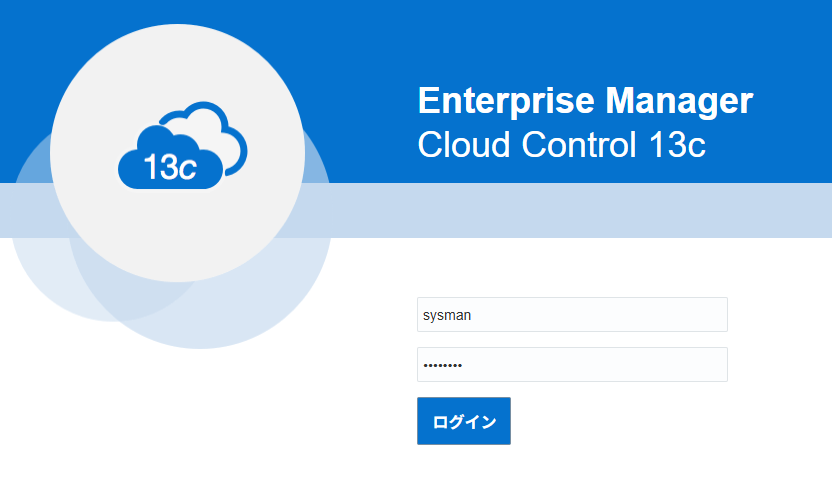
SYSMAN/<Password entered during installation (e.g. welcome1)>
Supplement: How to Output Response File Templates
To generate a response file template tailored to your environment, execute the following command:
./em13500_linux64.bin -getResponseFileTemplates
After execution, templates such as new_install.rsp will be copied into /tmp/sfx_XXXXX/Disk1. Editing this base file is the most reliable approach.
[oracle@em13cr5 em_dir]$ ./em13500_linux64.bin -getResponseFileTemplates
Launcher log file is /tmp/OraInstall2026-02-14_09-22-41PM/launcher2026-02-14_09-22-41PM.log.
Extracting the installer . . . . . . . . . . . . . . . . . . . . . . . . . . . . . . . . . . . . . . . . . . . . . . . . . . . . . . . . . . . . . . . . . . . . . . . . . . . Done
Copying response file template(s)
to /tmp/sfx_bFY02K/Disk1
  Copying response file template softwareOnlyWithPlugins_install.rsp
  Copying response file template emprereqkit_upgrade.rsp
  Copying response file template upgrade.rsp
  Copying response file template new_install.rsp
  Copying response file template emprereqkit_install.rsp
  Copying response file template softwareOnlyWithPlugins_upgrade.rsp
Finished copying response file template(s)

The log(s) can be found here: /tmp/OraInstall2026-02-14_09-22-41PM.
[oracle@em13cr5 em_dir]$
Troubleshooting
| Error / Phenomenon | Cause | Countermeasure |
|---|---|---|
| GUI does not start / Slow | SSH X11 forwarding delay or missing libraries | Switch to the silent installation recommended in this article. |
| ORA-01017 | DB user (SYS) password mismatch | Check SYS_PASSWORD in the response file. |
| Prerequisite check failure | Insufficient processes, etc. | Re-check DB parameters via SQL> show parameter. |
Operational and Security Considerations
- Backup: We recommend backing up the DB (Repository) and the Middleware directory immediately after installation.
- SSL Certificates: By default, self-signed certificates are used. Consider replacing them with trusted certificates in production environments.
- How to revert: If the installation fails, perform an uninstallation using
/u01/app/middleware/oui/bin/deinstall.sh.
FAQ
Q1: My GUI installation failed; do I need to start over? A: Yes. If halfway-completed files remain, the silent installation will also fail. You must delete the installation directory and clean the DB repository.
Q2: Can I use a 19c PDB as a repository? A: Yes. Specify the PDB service name in SERVICENAME_OR_SID in the response file.
Q3: Where are the installation logs located? A: Detailed logs are output under /u01/app/oraInventory/logs.
Summary
- Silent installation is recommended to avoid GUI glitches.
- Configure DB settings (hidden parameters, etc.) in advance.
- Access the management screen at
https://<Hostname>:7803/em.
[reference]
Oracle Enterprise Manager Cloud Control Basic Installation Guide, 13c Release 5
This article explains targeting Oracle Database 19c/EMCC 13.5 (screens and default values may differ for other versions).

コメント